> ## Documentation Index
> Fetch the complete documentation index at: https://docs.withflex.com/llms.txt
> Use this file to discover all available pages before exploring further.

# Create A Payment Link

> Use the Flex Dashboard to create payment links and start accepting HSA/FSA payments without code.

Use the Flex Dashboard to create payment links and start accepting HSA/FSA payments without code.

Below we'll cover the following topics. If you've already created a product, you can skip to creating a payment link. For more on products, review the [products and prices page](/developer-guides/products-and-prices/how-products-and-prices-work).

* [Create a product](#create-a-product)
* [Create a payment link](#create-a-payment-link-1)
* [Share your payment link](#share-your-payment-link)

## Create a product

<Steps titleSize="h3">
  <Step title="Navigate to products">
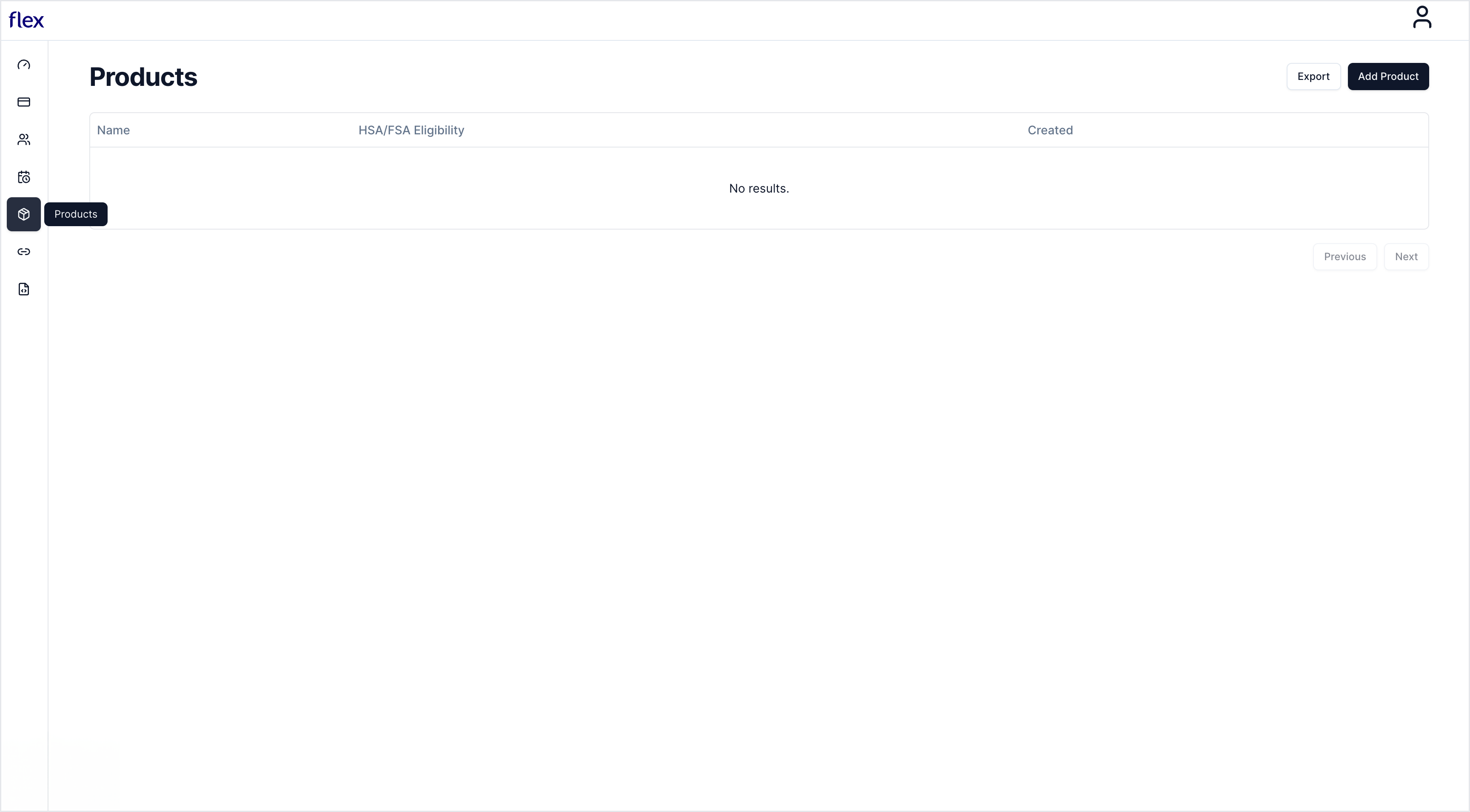
    In the partner dashboard, navigate to Products and select **Add Product**.

    <img src="https://mintcdn.com/flex-87/mQcpMzKP79FZ1PTt/images/create/create1.png?fit=max&auto=format&n=mQcpMzKP79FZ1PTt&q=85&s=4819abc7deed695ef6dc53d6a70da69b" alt="" width="3456" height="1910" data-path="images/create/create1.png" />
  </Step>

  <Step title="Add product details">
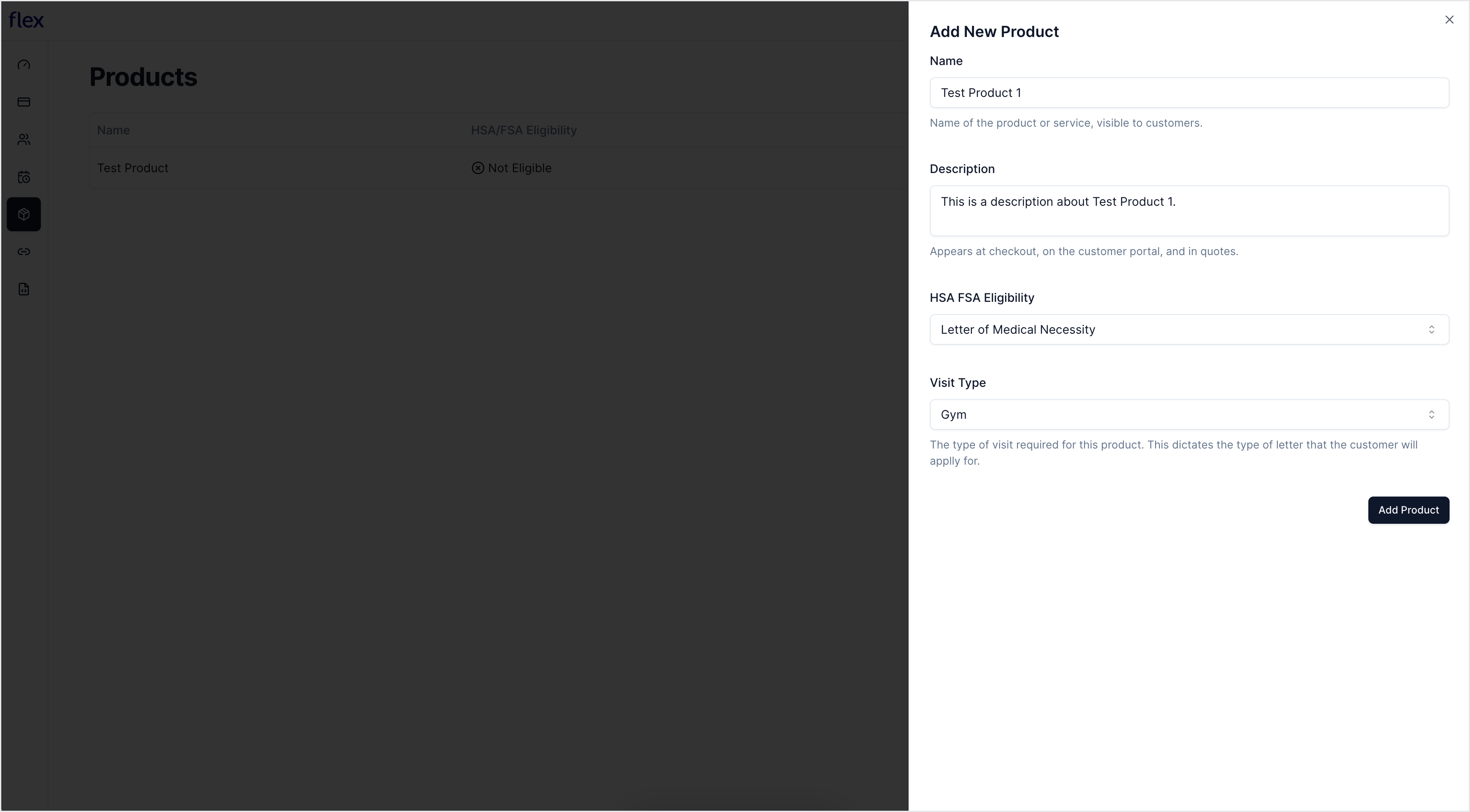
    Enter your product's name, description, and eligibility type, then select **Add Product**.

    <img src="https://mintcdn.com/flex-87/mQcpMzKP79FZ1PTt/images/create/create2.png?fit=max&auto=format&n=mQcpMzKP79FZ1PTt&q=85&s=ae108e3d9194304e277fc7b18866e87b" alt="" width="3456" height="1910" data-path="images/create/create2.png" />
  </Step>
</Steps>

## Create a payment link

<Steps titleSize="h3">
  <Step title="Navigate to Payment Links">
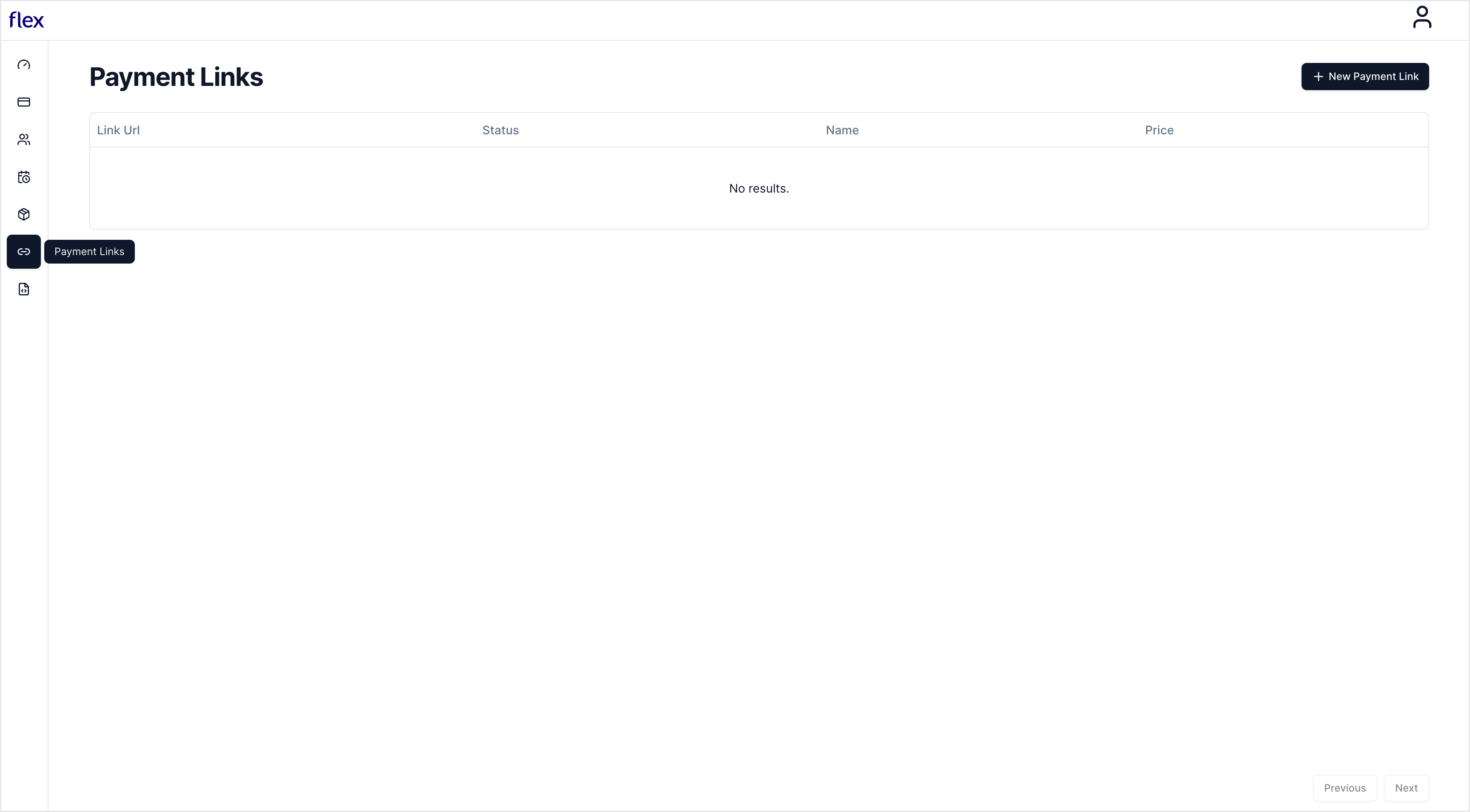
    In the partner dashboard, navigate to Payment Links and select **New Payment Link**.

    <img src="https://mintcdn.com/flex-87/mQcpMzKP79FZ1PTt/images/create/create3.png?fit=max&auto=format&n=mQcpMzKP79FZ1PTt&q=85&s=5df2c93f0d3f56abb7b75ef0bd6cae2d" alt="" width="3456" height="1910" data-path="images/create/create3.png" />
  </Step>

  <Step title="Add product price">
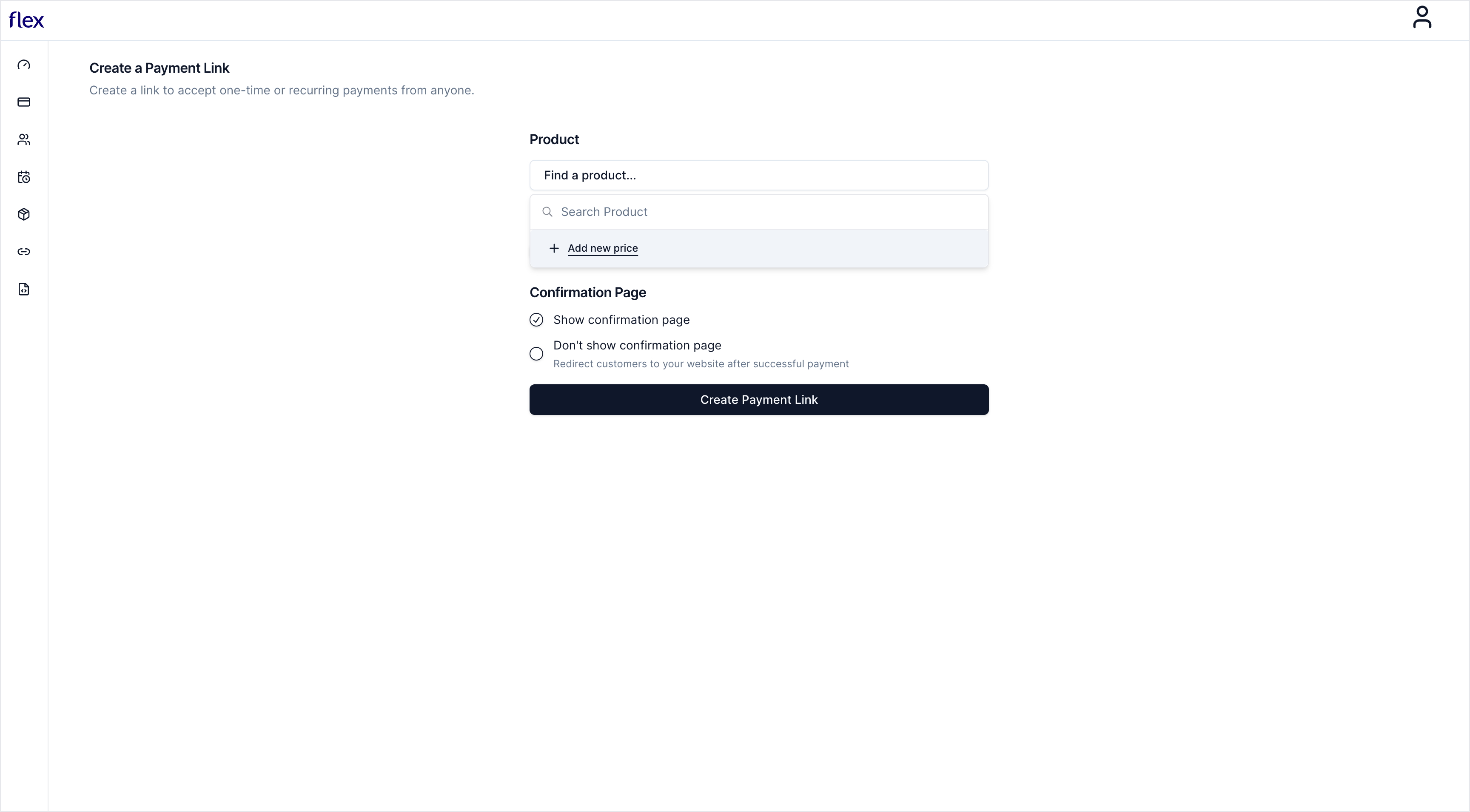
    Search for a product and select **Add New Price**.

    <img src="https://mintcdn.com/flex-87/mQcpMzKP79FZ1PTt/images/create/create4.png?fit=max&auto=format&n=mQcpMzKP79FZ1PTt&q=85&s=055333cb27453cd1dcb223311e29b677" alt="" width="3456" height="1910" data-path="images/create/create4.png" />
  </Step>

  <Step title="Add pricing details">
    <Note>
      If you have a discount or offer, include it in your pricing.
    </Note>

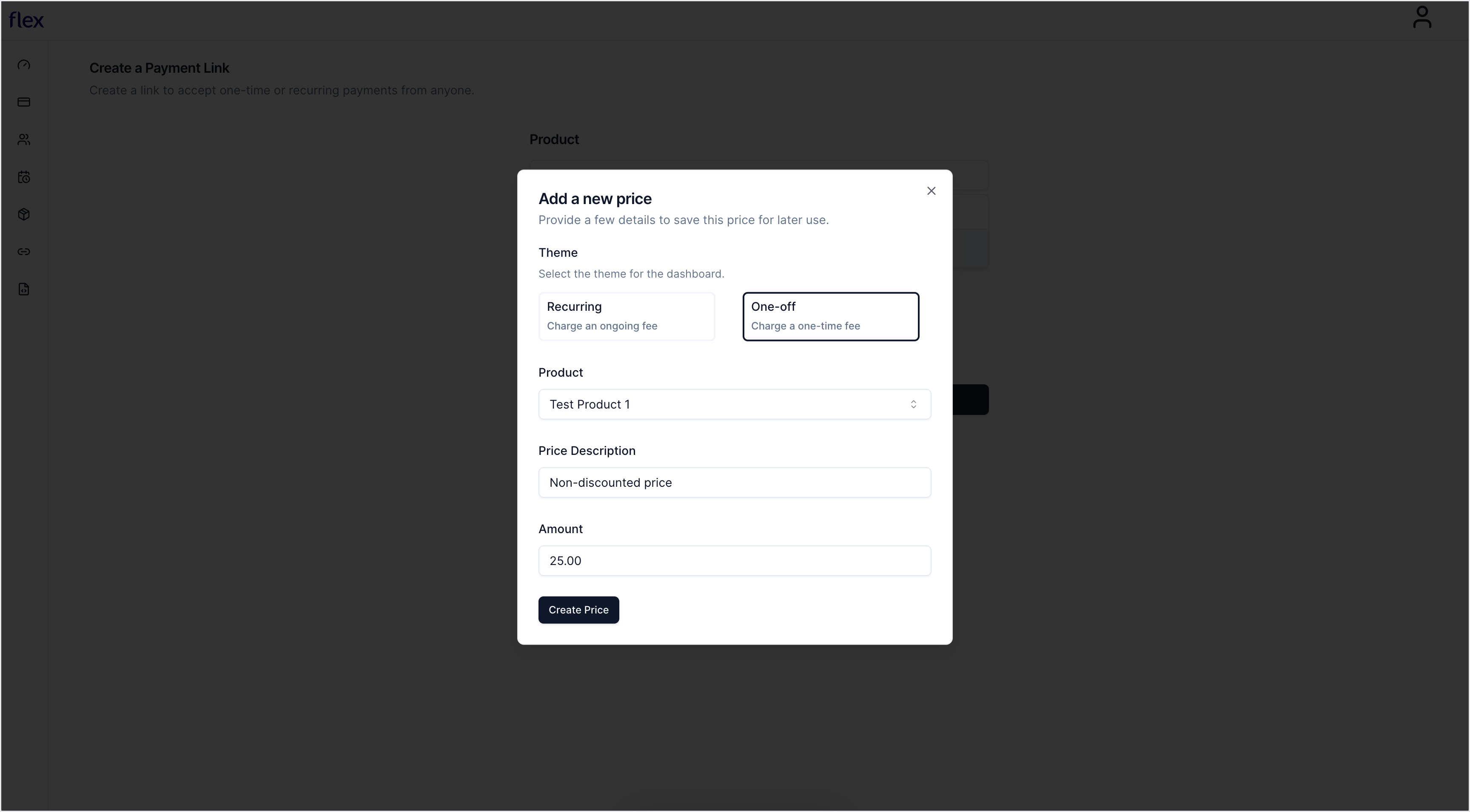
    Select your product and enter your pricing details.

    <img src="https://mintcdn.com/flex-87/mQcpMzKP79FZ1PTt/images/create/create5.png?fit=max&auto=format&n=mQcpMzKP79FZ1PTt&q=85&s=0f07e45b9912edd64bb00efba0568458" alt="" width="3456" height="1910" data-path="images/create/create5.png" />
  </Step>

  <Step title="Add Payment Link details">
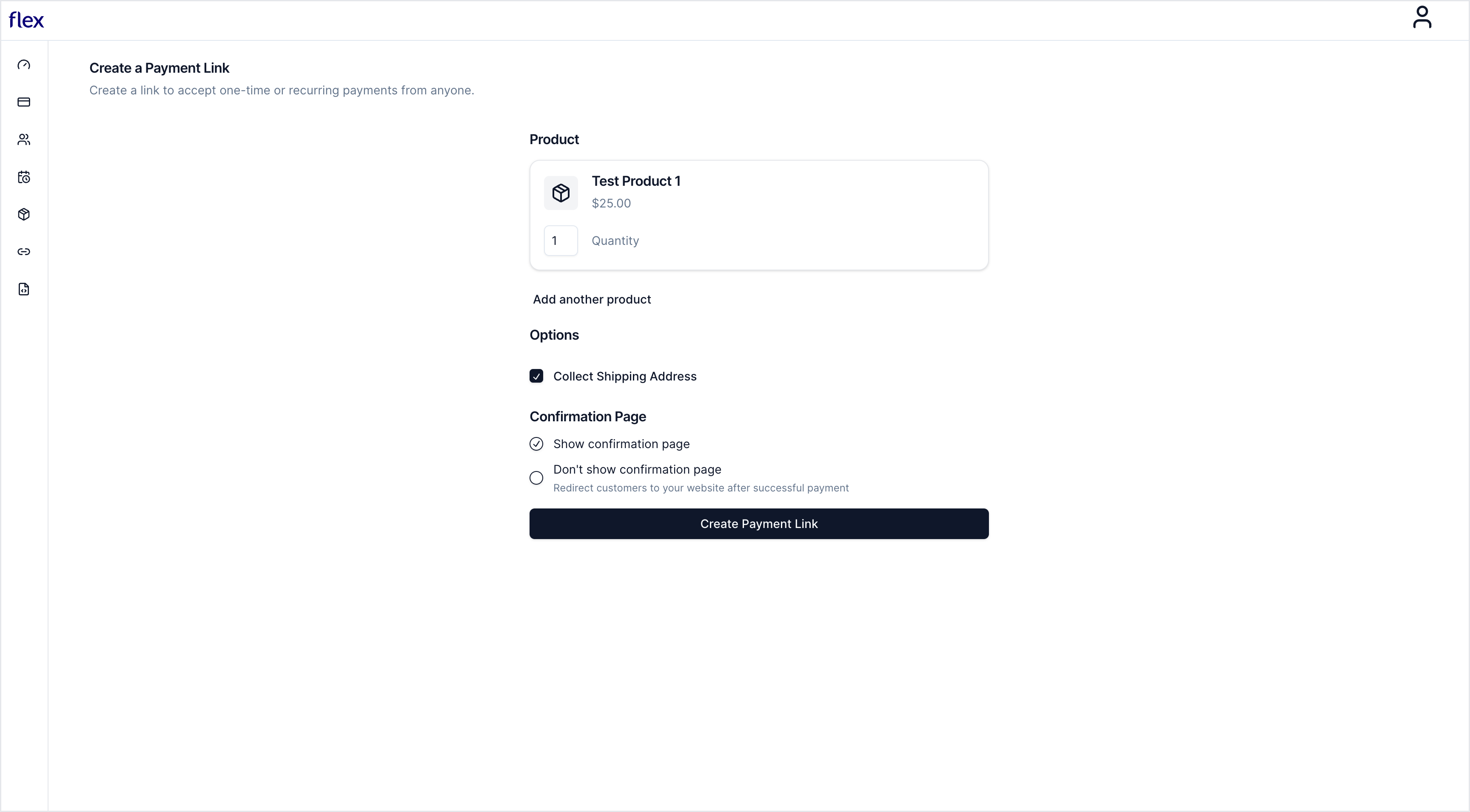
    Enter the remaining Payment Link details and select **Create Payment Link**.

    <img src="https://mintcdn.com/flex-87/mQcpMzKP79FZ1PTt/images/create/create6.png?fit=max&auto=format&n=mQcpMzKP79FZ1PTt&q=85&s=0f4f05954abb8823749231cf54fadd1e" alt="" width="3456" height="1910" data-path="images/create/create6.png" />
  </Step>
</Steps>

## Share your payment link

You can share your payment link multiple times and anywhere online, including emails, text messages, and social media platforms.

<Steps titleSize="h3">
  <Step title="Share your Payment Link">
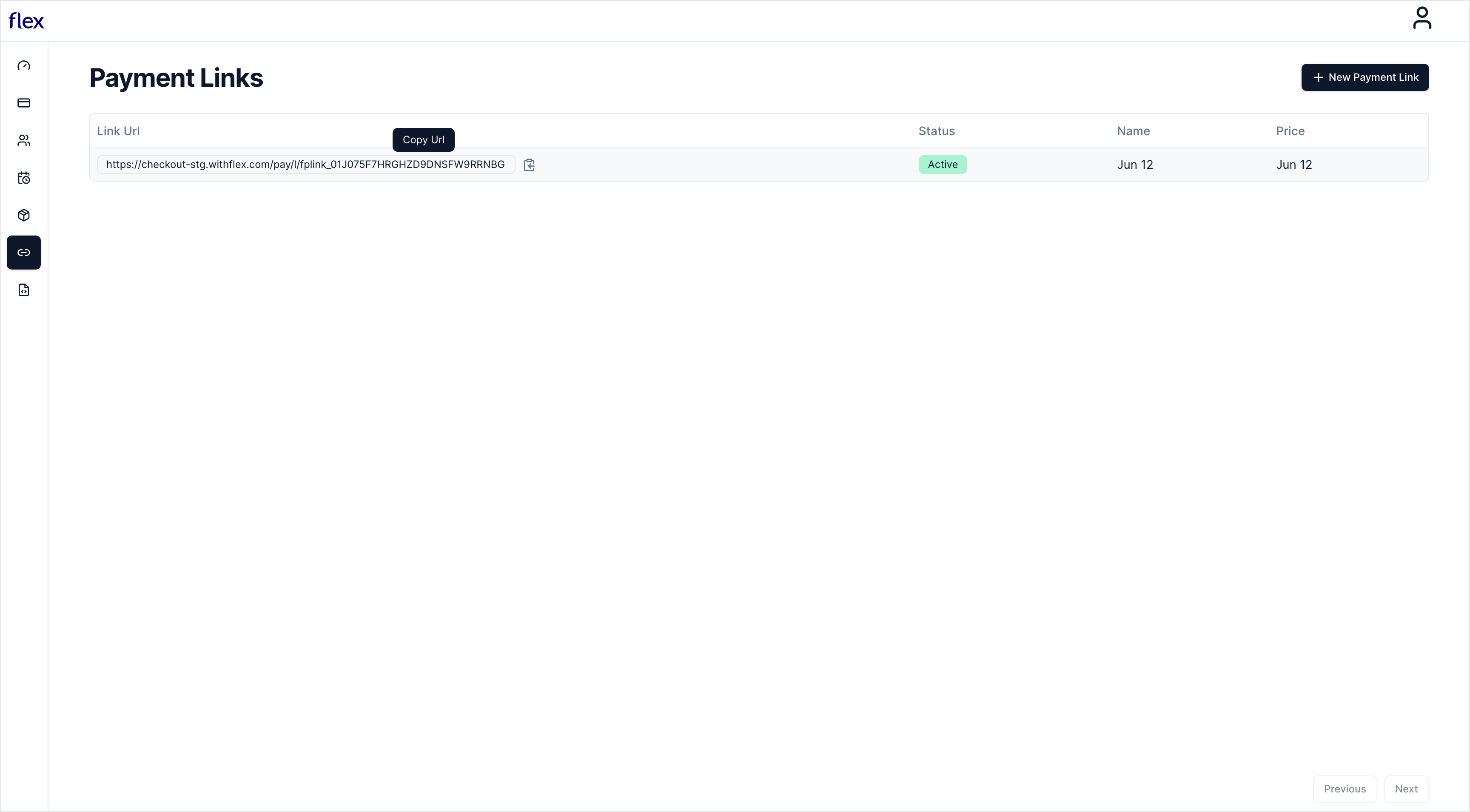
    In the partner dashboard, open the Payment Links page and copy the link.

    <img src="https://mintcdn.com/flex-87/mQcpMzKP79FZ1PTt/images/create/create8.png?fit=max&auto=format&n=mQcpMzKP79FZ1PTt&q=85&s=417e428c0ad9c680c7bef0af7fee269e" alt="" width="3456" height="1910" data-path="images/create/create8.png" />

    When you share the link, it will create a hosted checkout with the product and pricing you created earlier.
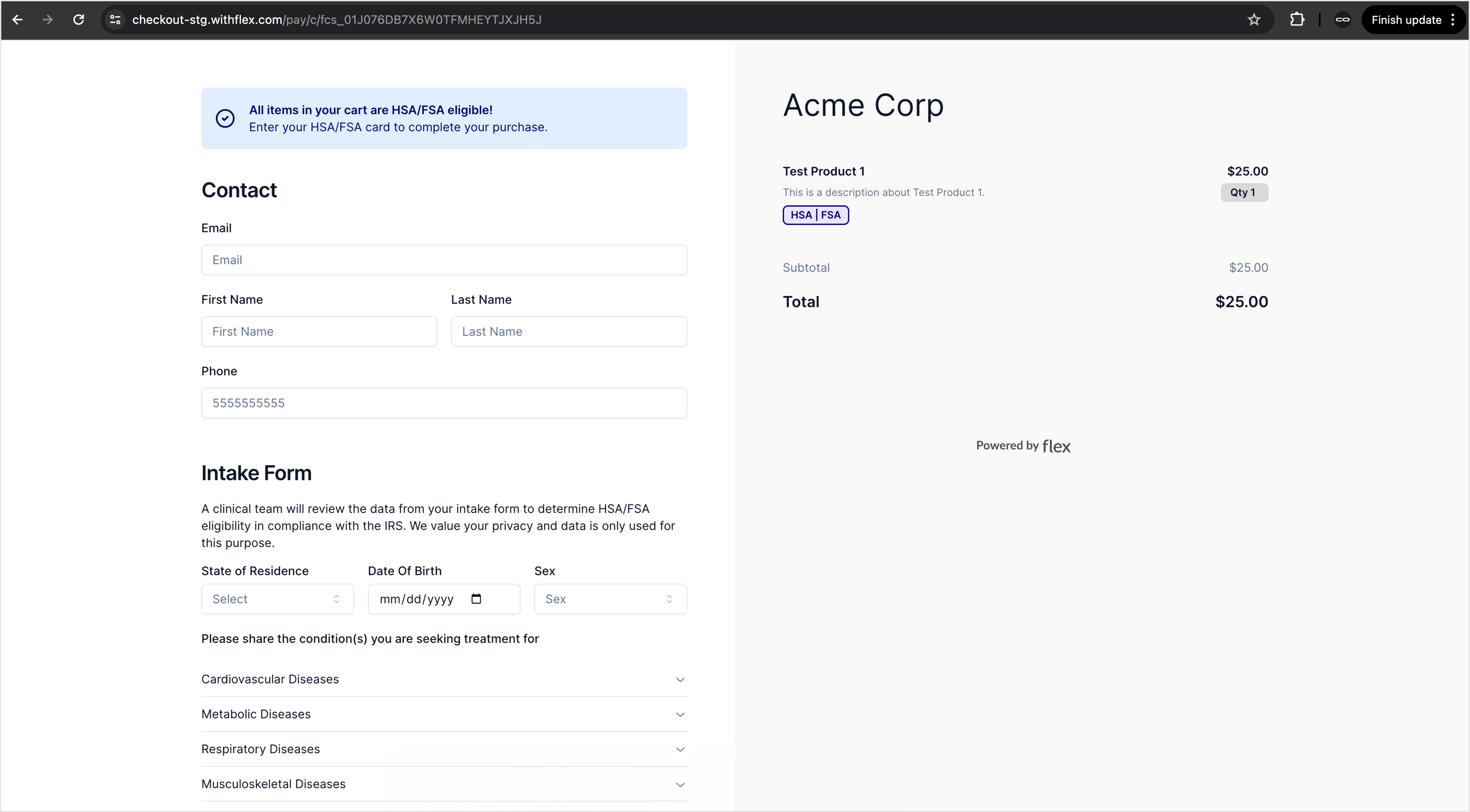
    <img src="https://mintcdn.com/flex-87/mQcpMzKP79FZ1PTt/images/create/create7.png?fit=max&auto=format&n=mQcpMzKP79FZ1PTt&q=85&s=78e6712a4acbd088dbdd782ba6b4b380" alt="" width="3456" height="1910" data-path="images/create/create7.png" />
  </Step>

  <Step title="Embed a button on your site">
    Turn your payment link into an embeddable buy button to sell a product or subscription from your website. Choose an existing link or create a new one, then replace the link in the code below and paste it into your website.

    ```html theme={null}
    <a href="https://checkout.withflex.com/pay/l/fplink_01HPQF7W0R41QVJ7V3S777B9XZ">
      <button>Pay with HSA/FSA</button>
    </a>
    ```
  </Step>
</Steps>