> ## Documentation Index
> Fetch the complete documentation index at: https://docs.withflex.com/llms.txt
> Use this file to discover all available pages before exploring further.
# Auto-Tag Flex Shopify Orders
> Automatically tag Flex orders in your Shopify admin so you can easily filter, organize, and review them alongside the rest of your orders.
Use [Shopify Flow](https://apps.shopify.com/flow) to automatically apply a tag to every Flex order, eliminating manual work while making it easy to identify and manage Flex orders at a glance.
## Set up the workflow
From your Shopify admin, open **Flow** — a free workflow-automation app from Shopify — and create a new workflow. If Flow isn't installed yet, add it from the Shopify App Store [here](https://apps.shopify.com/flow).
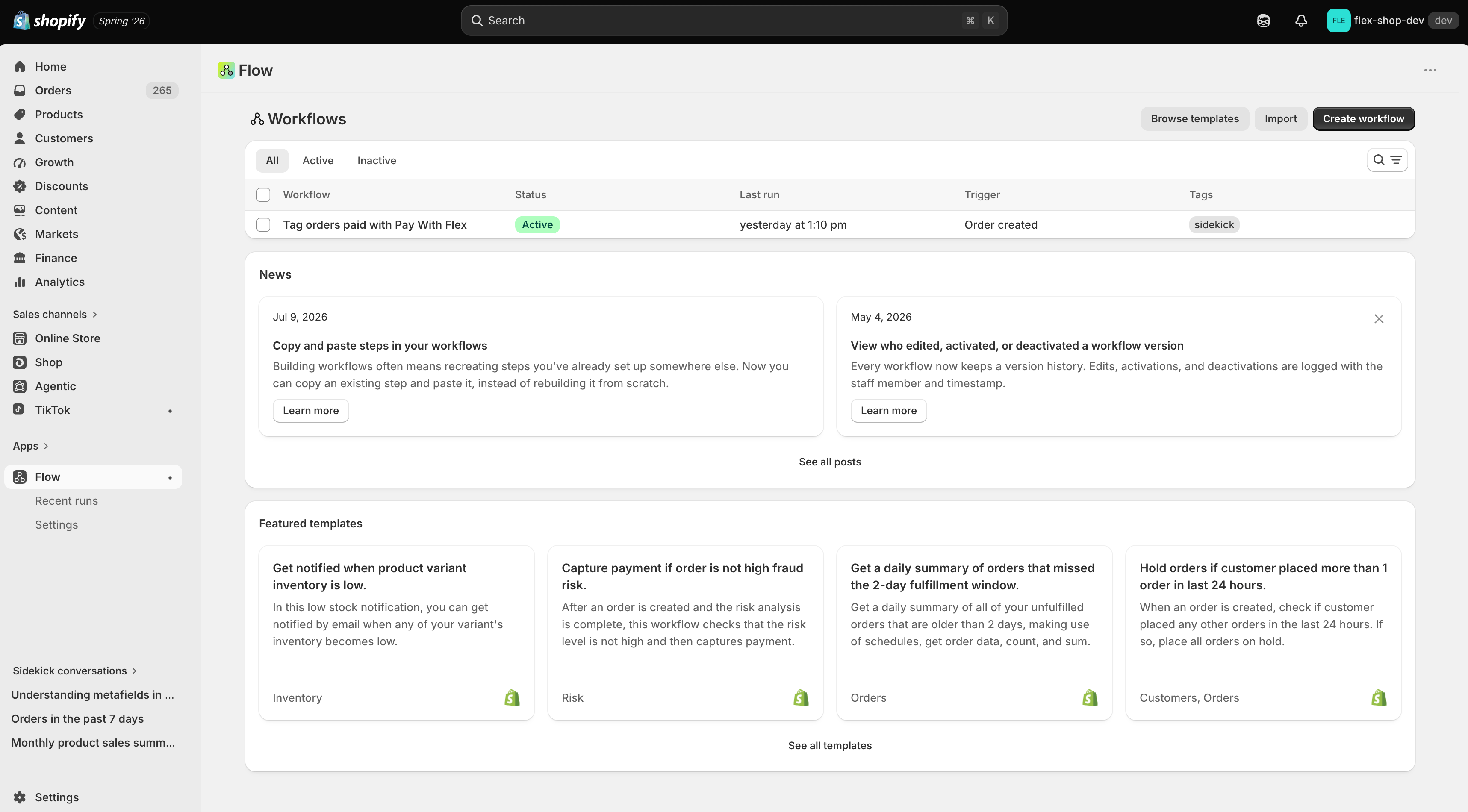 Use the Shopify AI to generate the workflow. Enter a prompt such as *"Auto-tag orders with flex-hsa-fsa when the payment gateway is Pay With Flex"* to start building the flow.
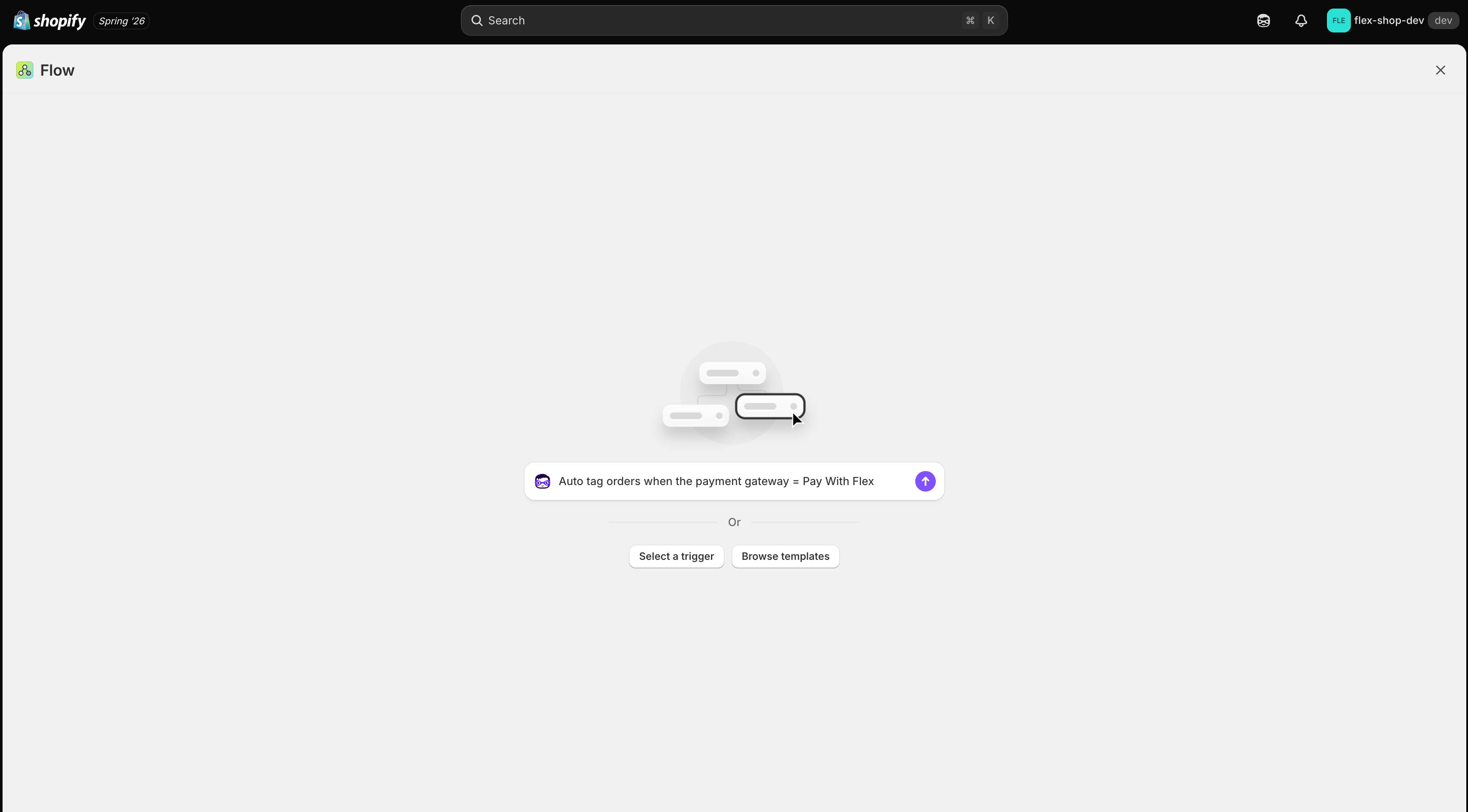 Click **Preview** to review the generated workflow before adding it to your store.
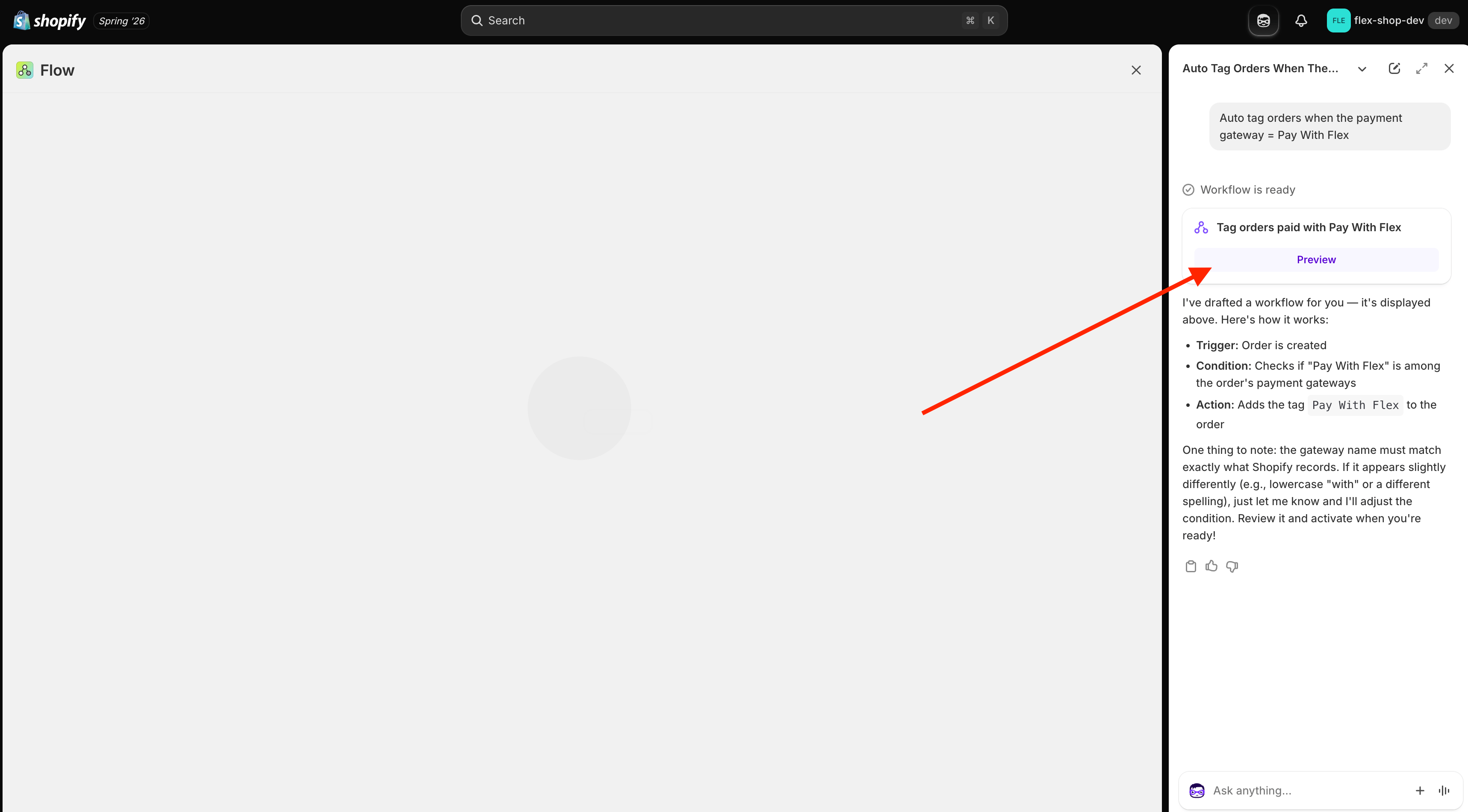 Confirm the workflow includes these steps:
* **Order created:** The workflow runs whenever a new order is created.
* **Condition:** Payment gateway name is equal to **Pay With Flex**.
* **Add order tags:** Adds the tag `flex-hsa-fsa`. You can change this to any tag you prefer.
Confirm the workflow includes these steps:
* **Order created:** The workflow runs whenever a new order is created.
* **Condition:** Payment gateway name is equal to **Pay With Flex**.
* **Add order tags:** Adds the tag `flex-hsa-fsa`. You can change this to any tag you prefer.
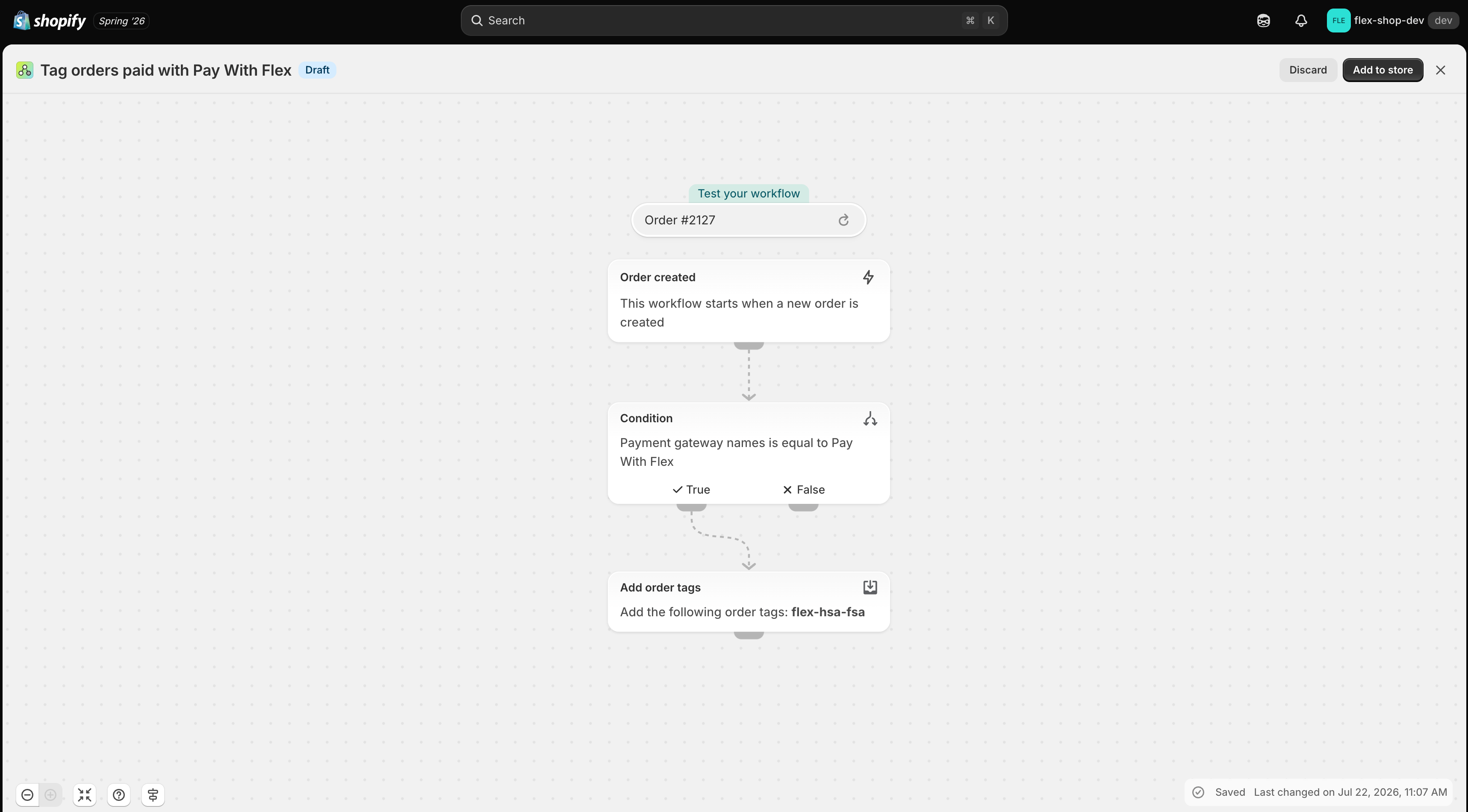 Add the workflow to your store, then turn it on.
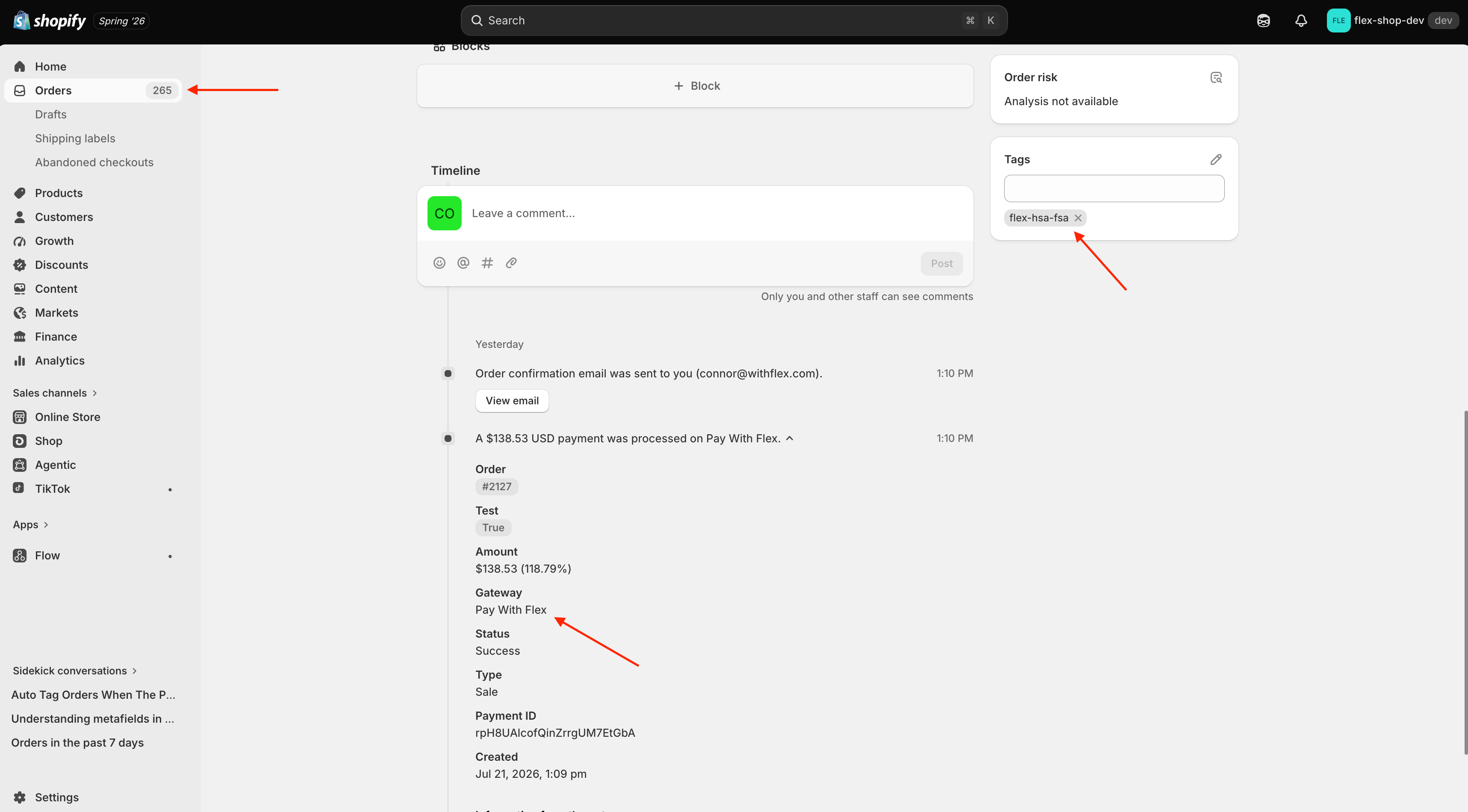
 On your next Flex order, open the order and check the **Notes** section for the payment gateway. If the gateway is **Pay With Flex**, the order will now carry your tag.
Flow tags orders going forward only. Orders placed before you turned the workflow on won't be tagged retroactively.
On your next Flex order, open the order and check the **Notes** section for the payment gateway. If the gateway is **Pay With Flex**, the order will now carry your tag.
Flow tags orders going forward only. Orders placed before you turned the workflow on won't be tagged retroactively.
 Promote HSA/FSA across your storefront with dynamic badges, a prebuilt landing page, and product eligibility synced from Flex.