> ## Documentation Index
> Fetch the complete documentation index at: https://docs.withflex.com/llms.txt
> Use this file to discover all available pages before exploring further.
# Shopify Subscriptions
> How to add the Flex reimbursement block to your Shopify Thank You page so subscription customers can get HSA/FSA reimbursement through Flex.
## Overview
Shopify does not allow third-party payment providers like Flex to directly accept payment for subscriptions. Flex uses a **post-purchase reimbursement flow** so customers can still use their HSA/FSA funds.
With this setup:
* Customers complete subscription purchases with a **standard payment method** (credit card, ShopPay, or any Shopify-supported method).
* On the **Thank You** page, the **Flex reimbursement block** invites them to get reimbursed with their pre-tax HSA/FSA dollars.
* They complete a quick **consultation** with Flex to verify eligibility, then **one-click submit a claim** from the Flex Portal.
* Merchants are billed **per reimbursement letter generated**.
***
## Customer Journey
1. Customer completes subscription checkout using a **standard payment method**.
2. On the **Thank You** page, they see the **Flex reimbursement block** with a call-to-action to *get reimbursed using your pre-tax HSA/FSA dollars*.
3. Clicking **Get reimbursed** opens a **Flex consultation** to verify their eligibility.
4. Once approved, the customer can **one-click submit a claim** directly from the **Flex Portal** and receives their **Letter of Medical Necessity (LMN)**.
5. The customer submits the **itemized receipt** alongside their LMN to reimburse each invoice.
6. The Letter of Medical Necessity is valid for **1 year**.
***
## Integration Steps
Make sure to **reinstall the [Flex Marketing App](https://apps.shopify.com/flex-marketing)** to take advantage of the subscription solution.
1. In Shopify Admin, go to **Online Store → Themes** and click **Customize**.
2. From the top dropdown, select **Checkout and customer accounts**, then switch from **Checkout** to the **Thank you** page.
3. Click **Add block**, select the **Flex reimbursement** block, and drag it where you'd like it to appear (e.g., just under the **Order status**).
4. Click **Save**, then exit the editor.
> 💡 **Tip:** The block has an optional **Payment link** field. Leave it blank — it's only used by merchants on the legacy Flex Marketing App. If you recently installed or reinstalled the app, you're on the latest version and don't need it.
***
## Limitations
* Shopify subscriptions **cannot** use HSA/FSA cards directly — customers pay with a standard method and get reimbursed afterward.
* Customers must complete a **separate reimbursement step** after each invoice.
* LMNs may only be used to reimburse invoices **dated the same day** or **up to one year in the future**.\
After that, customers should request a new LMN.
***
## Example Email & LMN
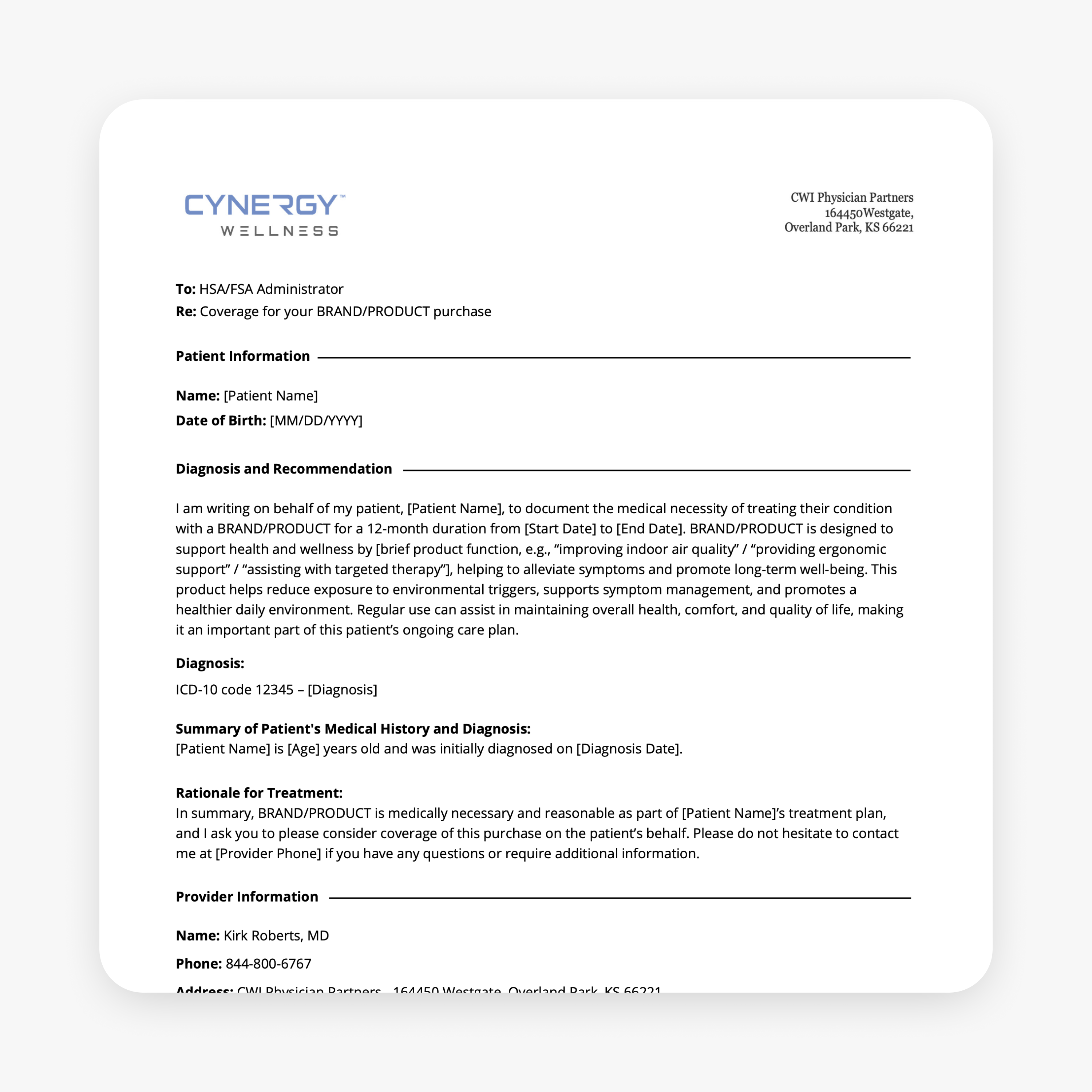
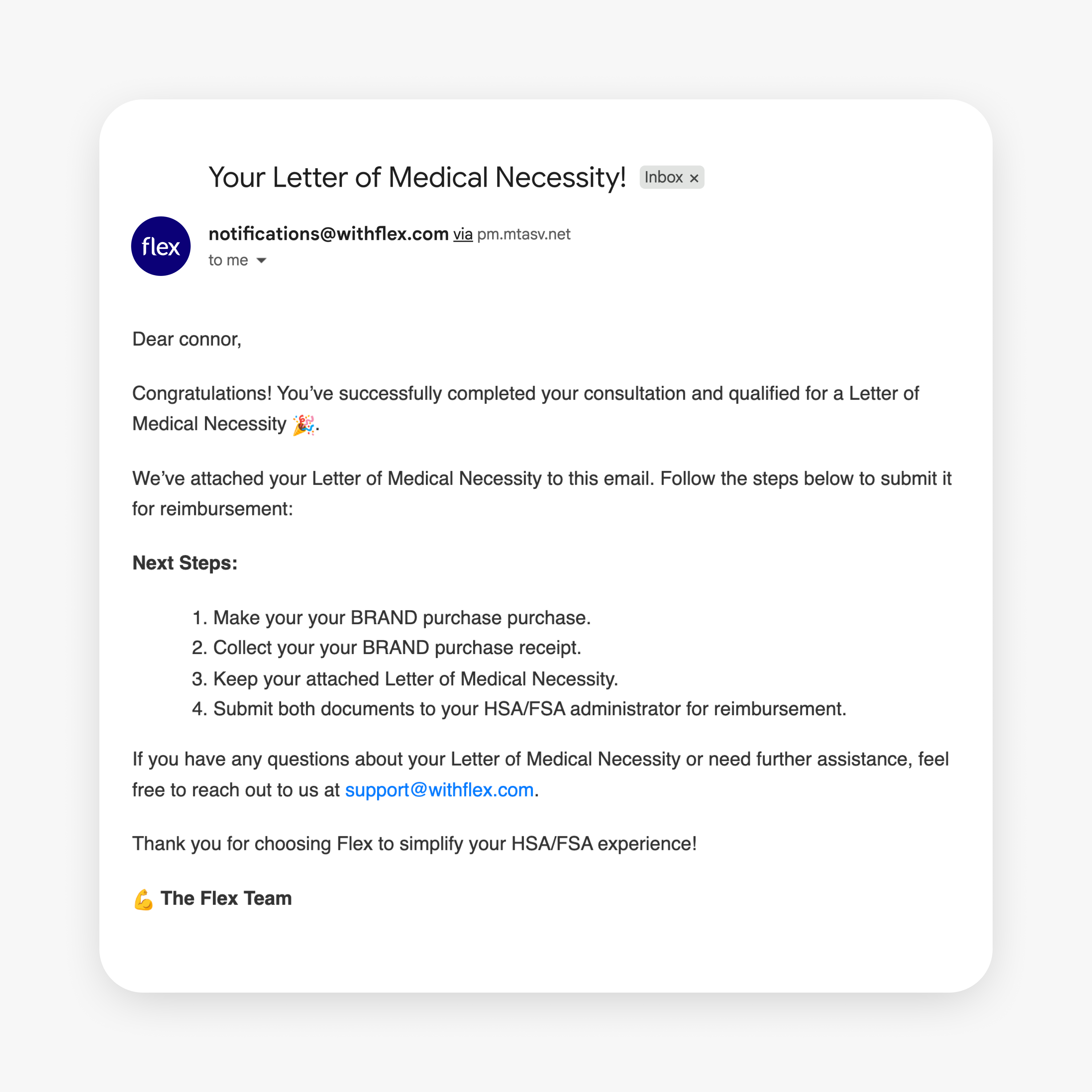
Customers receive the **LMN** after completing the reimbursement consultation and will also recieve and itemized receipt from Flex. They can submit these documents to their HSA/FSA administrator for reimbursement.
## FAQs
A document signed by a medical professional verifying that a product/service is medically necessary for HSA/FSA reimbursement.
No — Shopify does not support third-party payment methods for subscriptions. Customers pay with a standard method and use the reimbursement process afterward.
Ask the customer to confirm eligibility with their HSA/FSA provider. If denied, have them share the provider’s written response so we can review. (FSA rules can vary by employer.)
Usually no. Most FSA providers require purchases in the same calendar year. Some allow a short grace period—customers should confirm with their provider.