> ## Documentation Index
> Fetch the complete documentation index at: https://docs.withflex.com/llms.txt
> Use this file to discover all available pages before exploring further.
# Shopify Test Store
> Learn how to set up test payments and run test transactions on your Shopify store with Flex.
When you have Flex installed on your Shopify store, you can run test payments to ensure proper functionality. To see how the flow works, you can run a test payment through the Flex test store.
## Shopify test payments
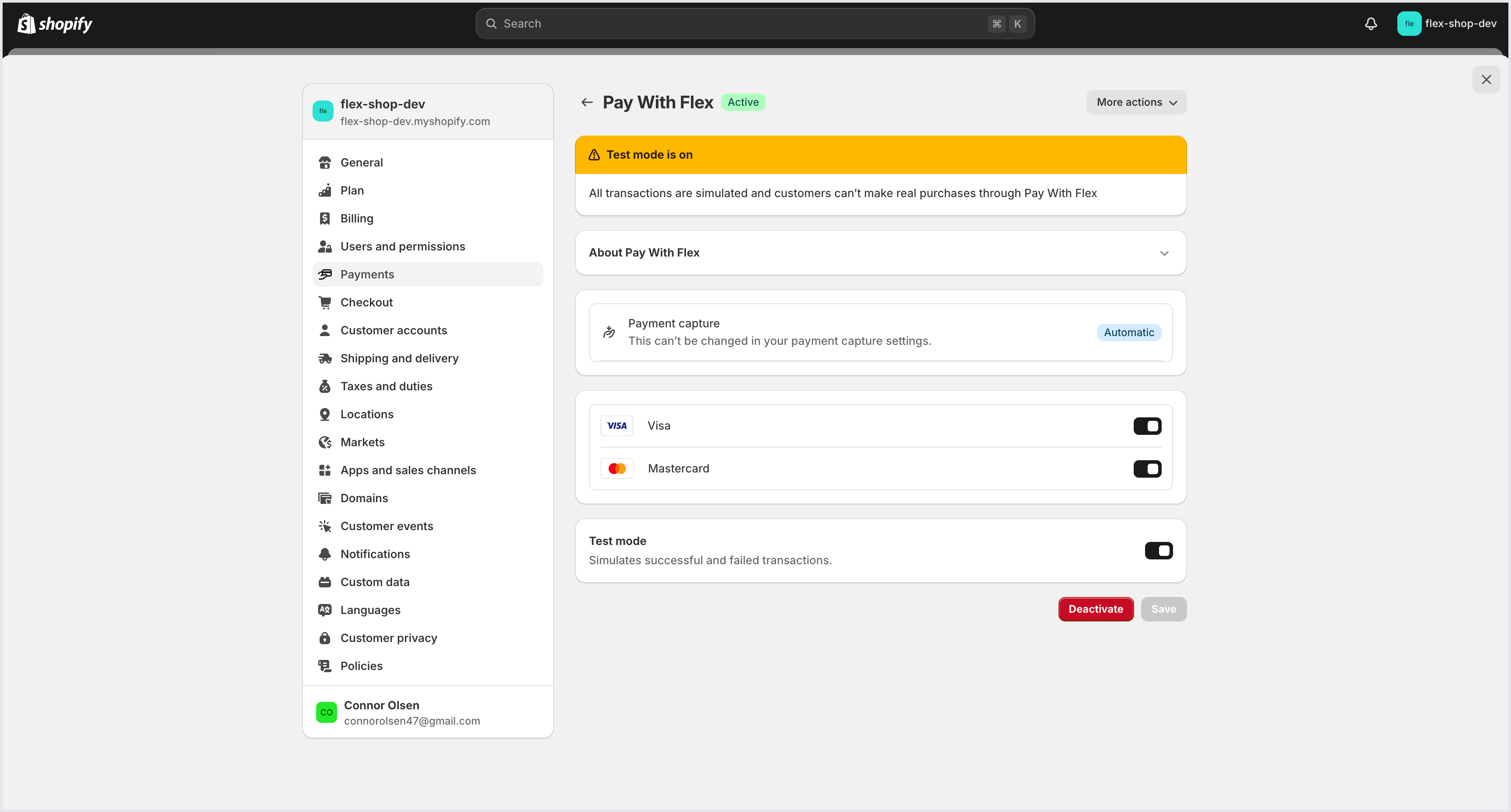
Navigate to your Shopify payment settings and select **Pay with Flex**.
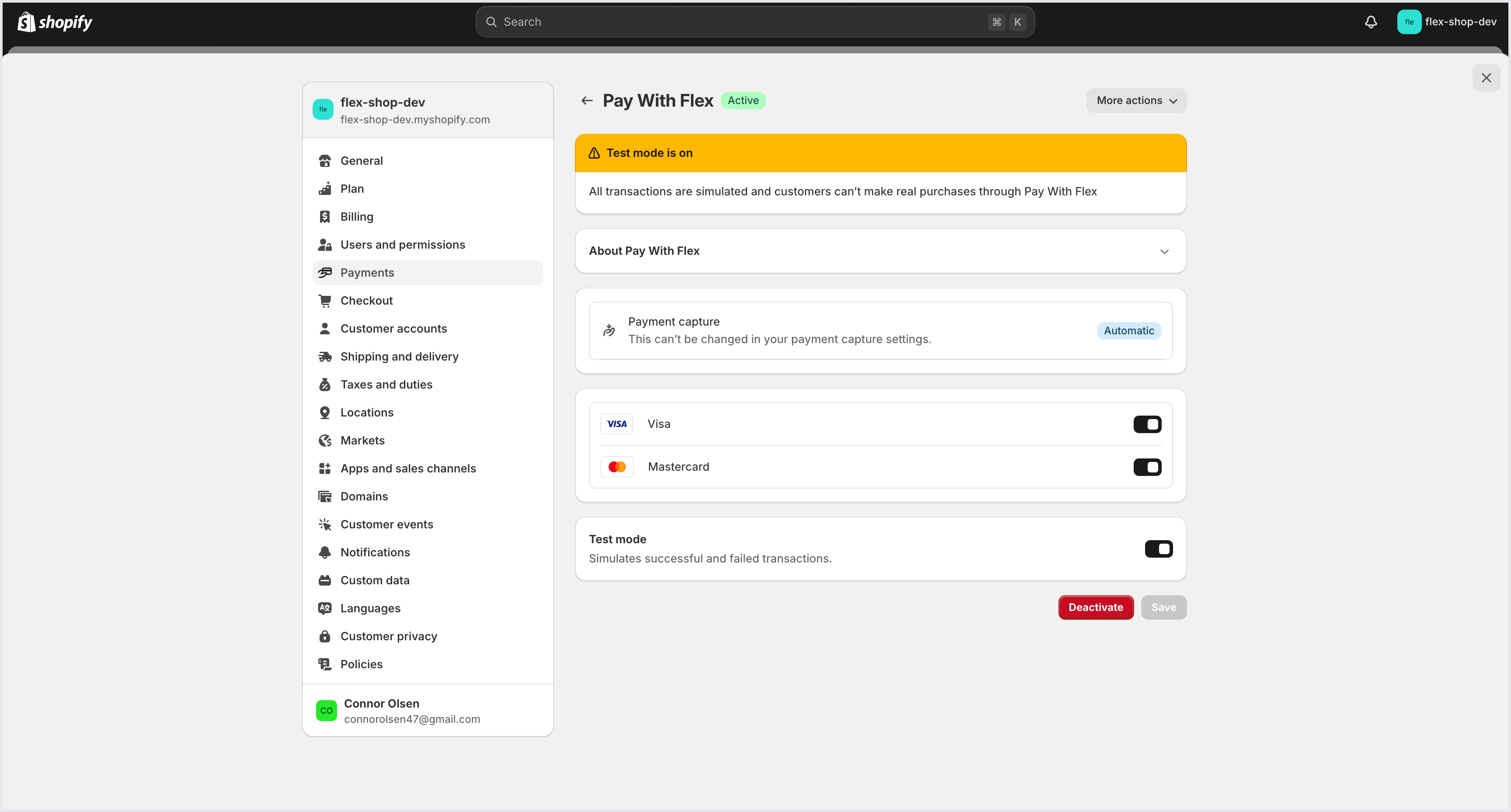 From the drop-down menu, select **Manage**.
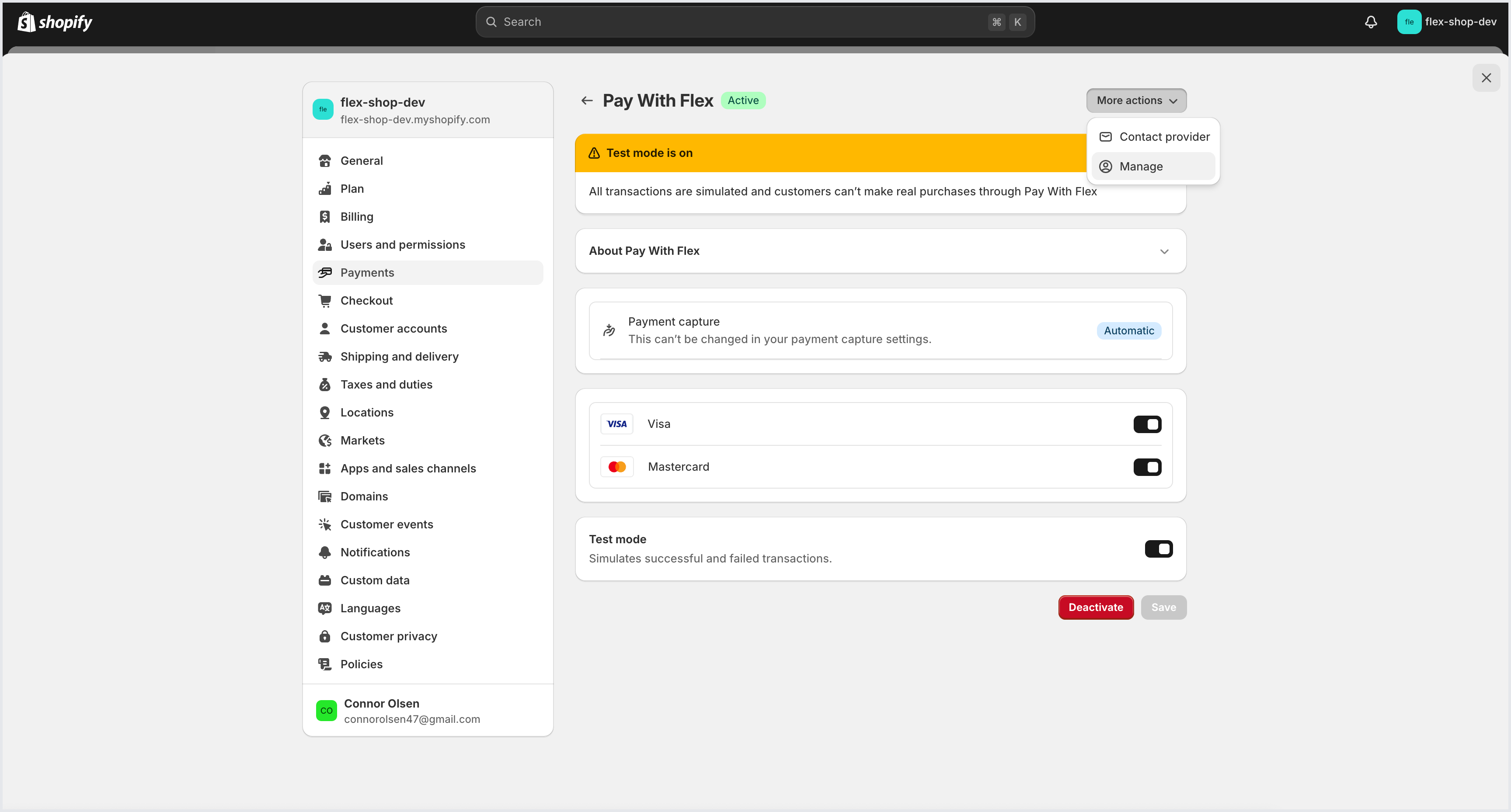 In the top right corner of the dashboard, toggle Test Mode on. When Test Mode is on, you should see a yellow banner at the top of the dashboard.
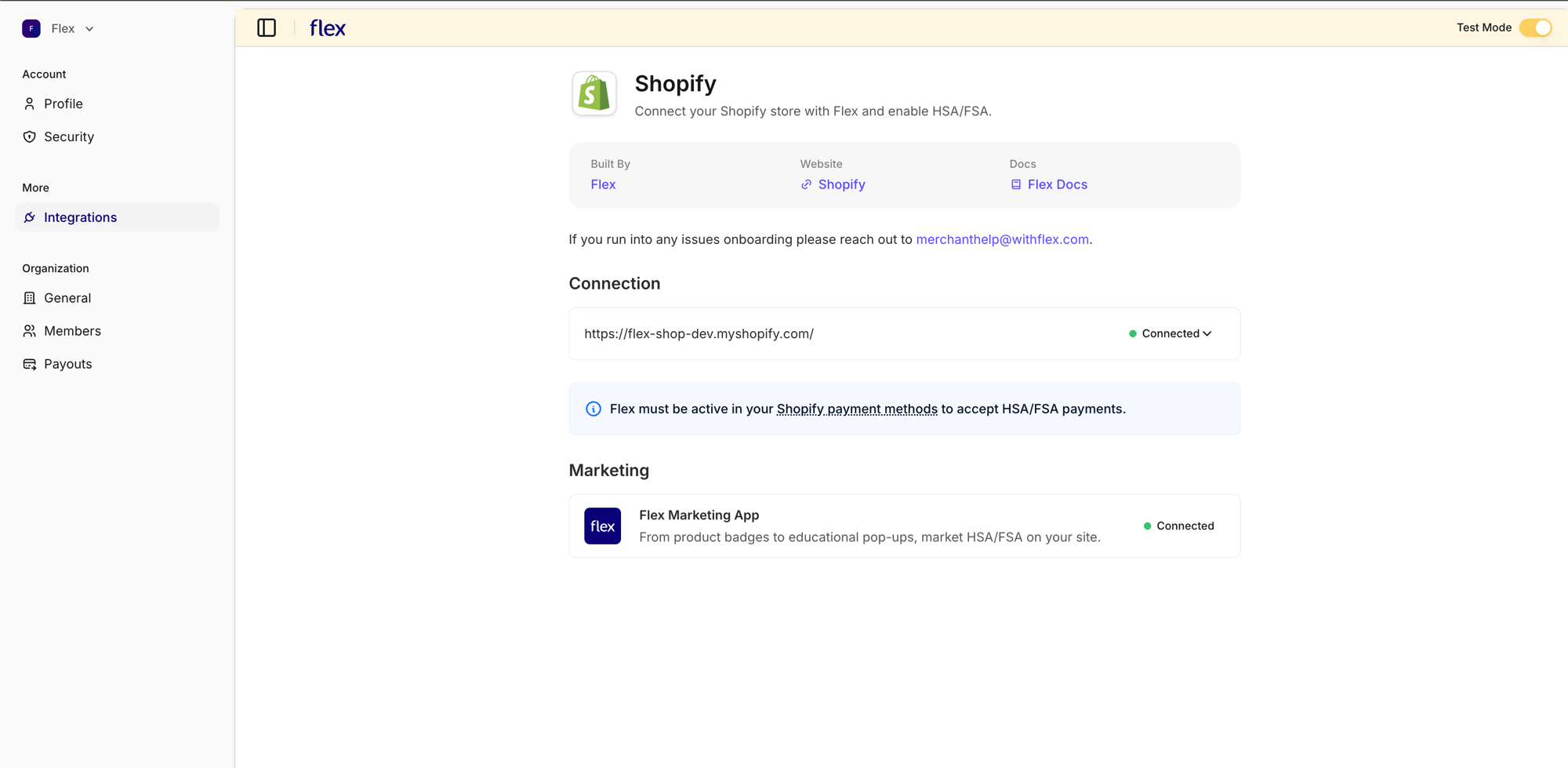 From the **Connected** drop-down menu, select **Resync Products**. This triggers a product sync in test mode, so your store's products are also made available in your Flex account's test mode.
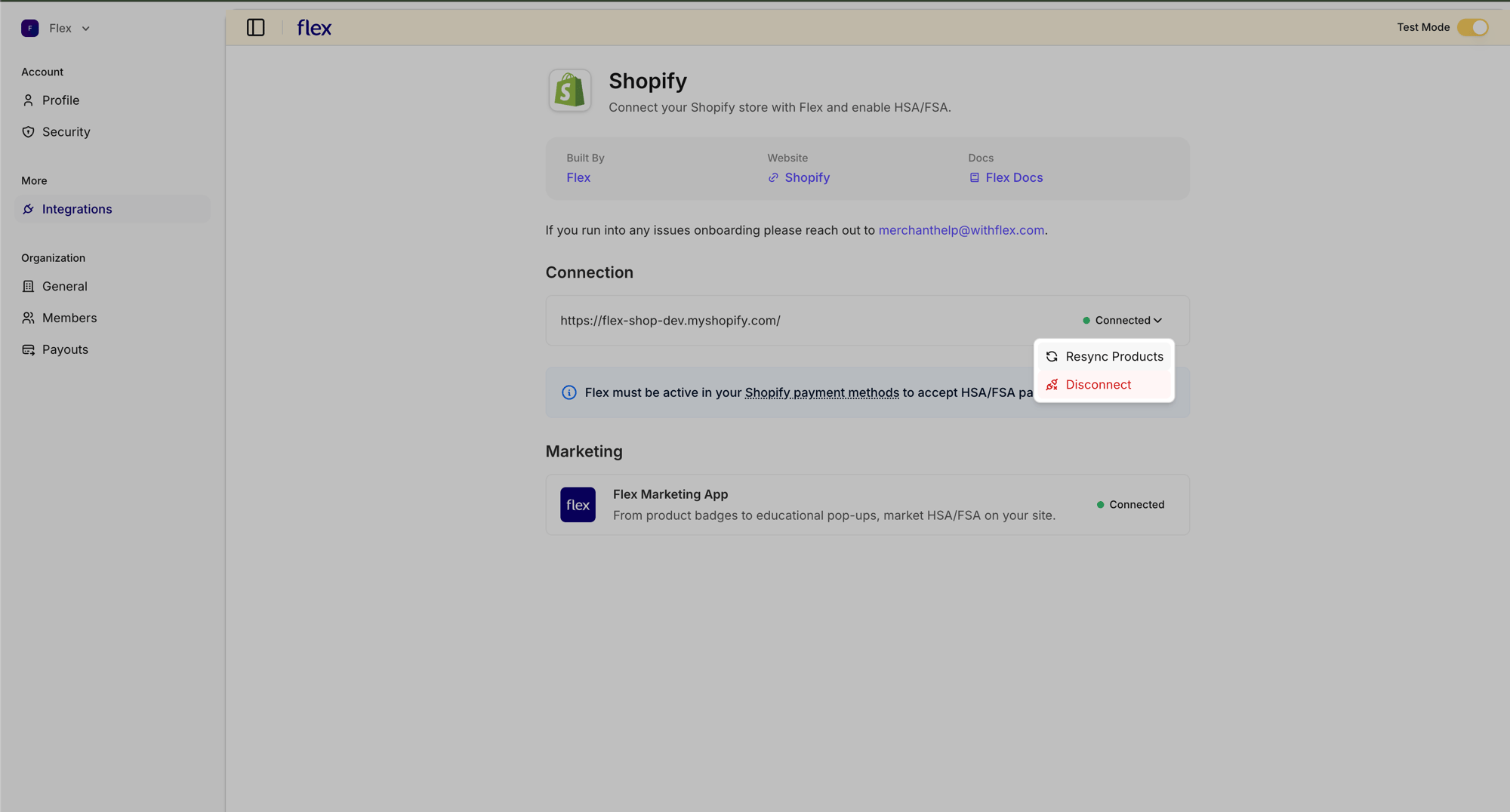 In the Flex Shopify settings, ensure Test mode is toggled on.
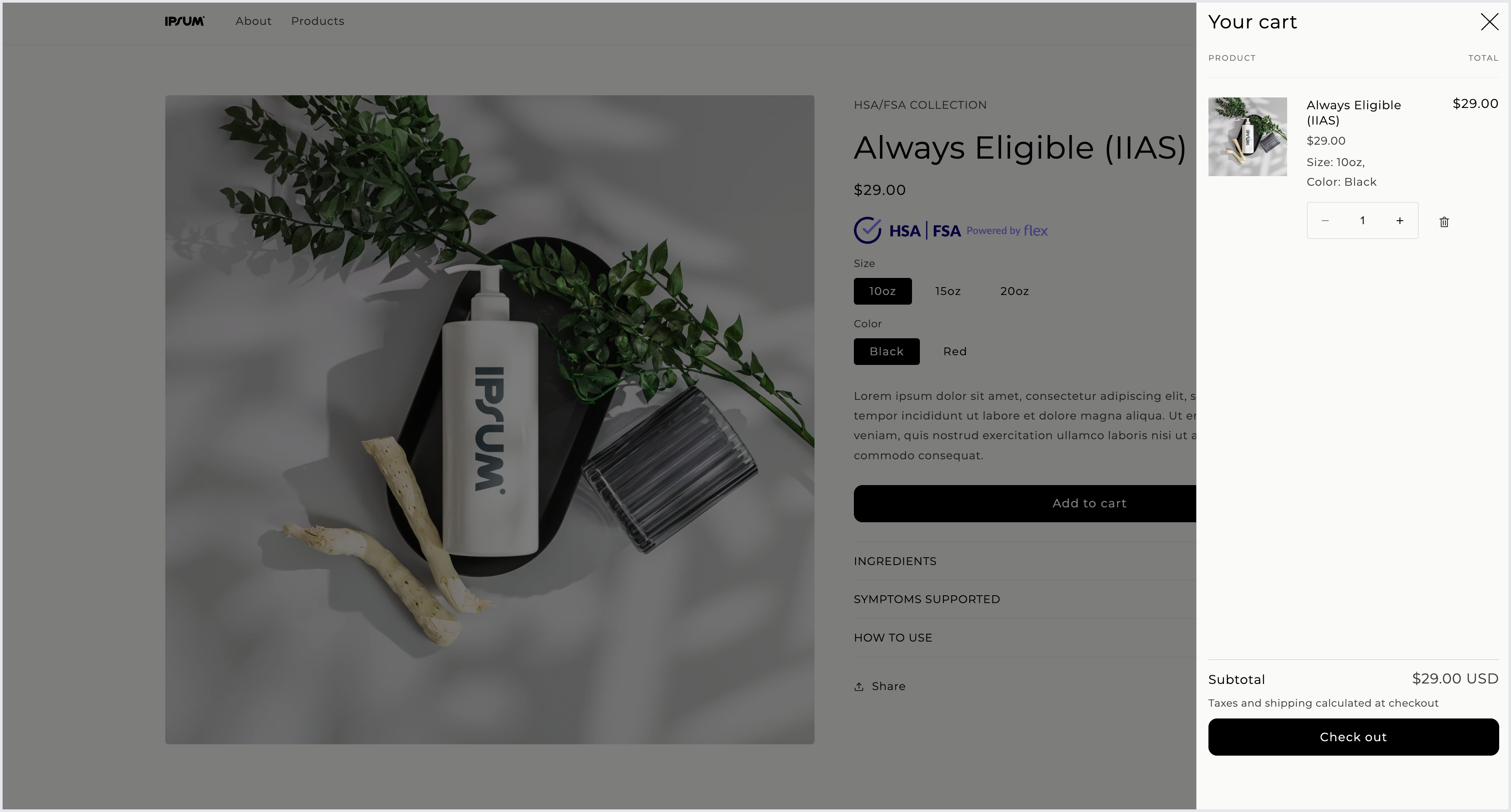
 Add a product to your cart and proceed to checkout.
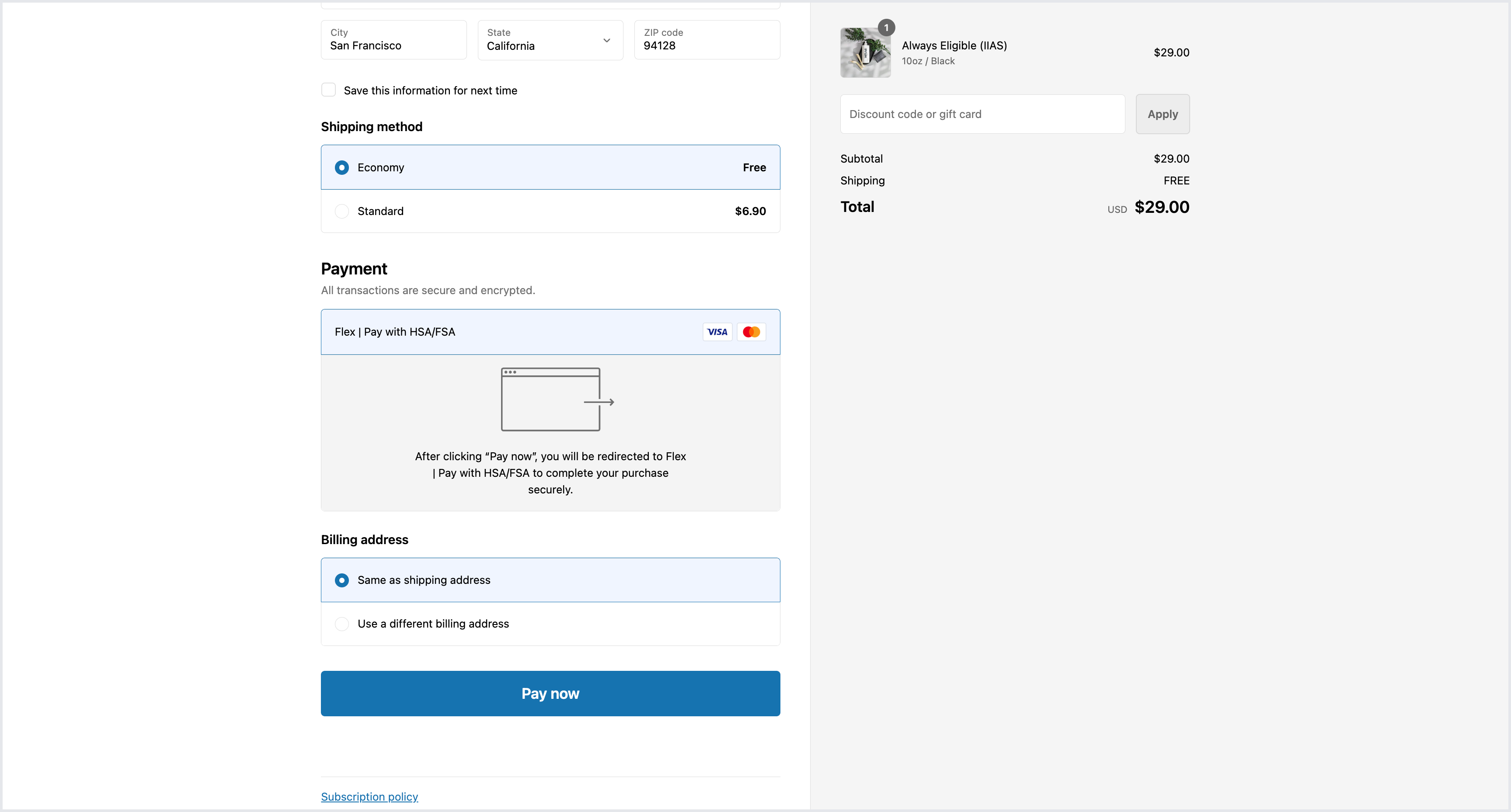
 Fill out the necessary information and select **Flex | Pay with HSA/FSA**.
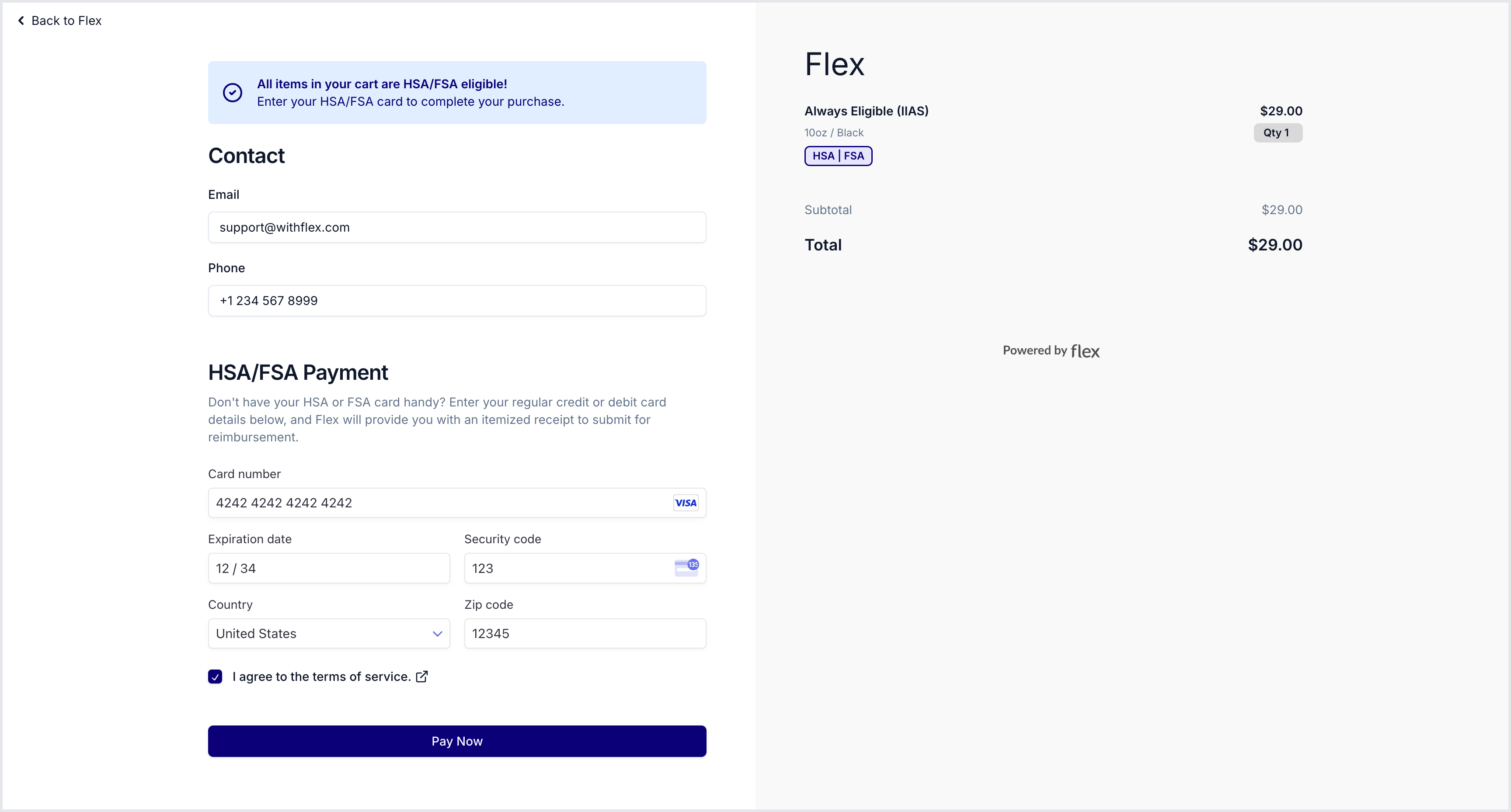
 You can use [test cards](/developer-guides/integration/test-mode#test-cards) to simulate test transactions, including both successful and declined transactions.
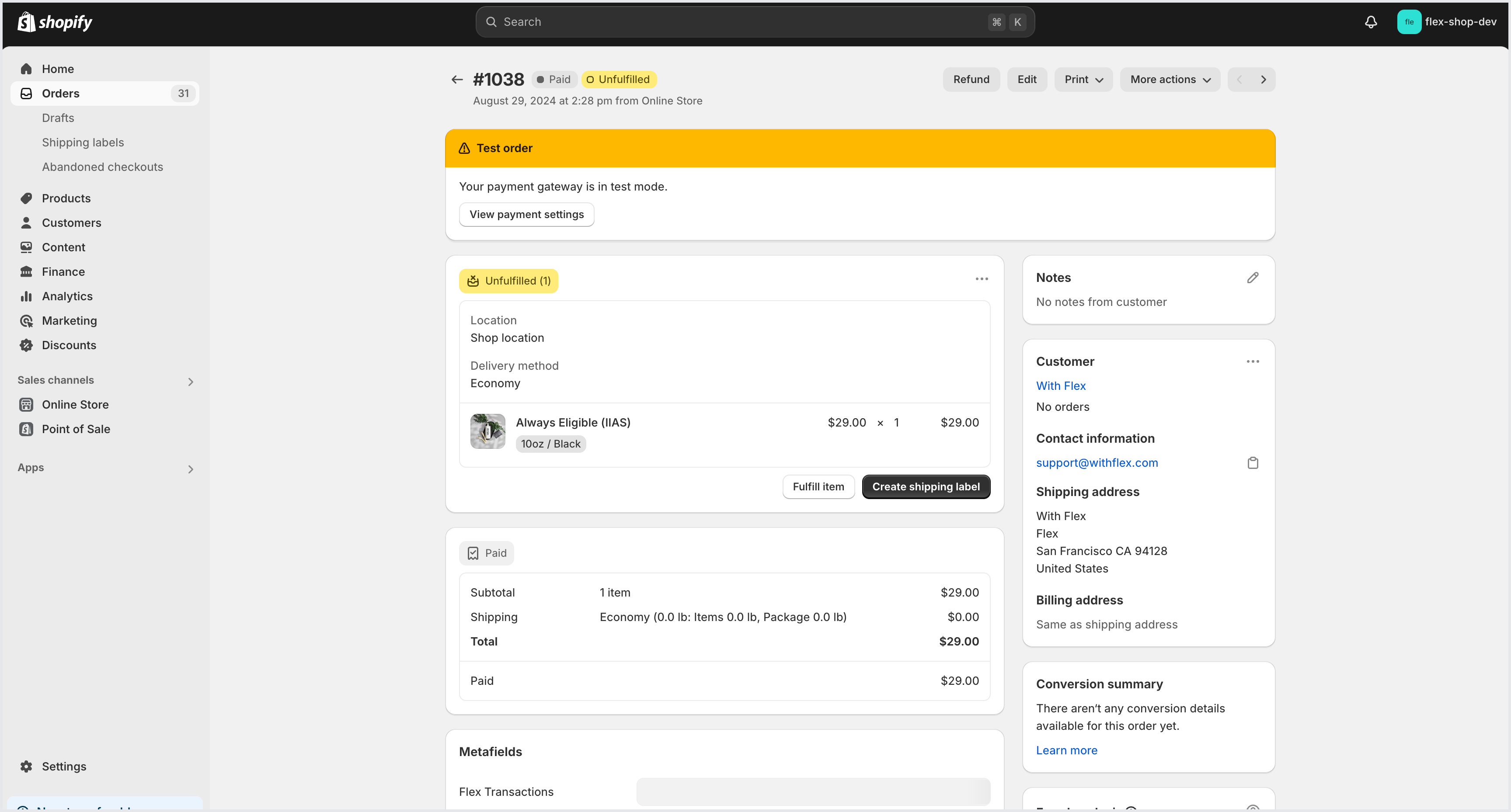
 Navigate to the Orders section in your Shopify Admin to view the test order.
 ## Flex Shopify test store
If you would like to see what the Flex Shopify checkout flow looks like, you can place an order through the Flex Test Store.
* Navigate to the [Flex Test Store](https://flex-shop-dev.myshopify.com/)
* Use the password **flex** to gain access.
You can add either the Always Eligible (IIAS) product for a standard checkout or the Dual Use (LOMN) product for a checkout with a Health Check consultation. If you need help determining which category your products fall under, feel free to reach out to [support@withflex.com](mailto:support@withflex.com).
You can use [test cards](/integration/test-mode#test-cards) to simulate test transactions.
Promote HSA/FSA across your storefront with dynamic badges, a prebuilt landing page, and product eligibility synced from Flex.
## Flex Shopify test store
If you would like to see what the Flex Shopify checkout flow looks like, you can place an order through the Flex Test Store.
* Navigate to the [Flex Test Store](https://flex-shop-dev.myshopify.com/)
* Use the password **flex** to gain access.
You can add either the Always Eligible (IIAS) product for a standard checkout or the Dual Use (LOMN) product for a checkout with a Health Check consultation. If you need help determining which category your products fall under, feel free to reach out to [support@withflex.com](mailto:support@withflex.com).
You can use [test cards](/integration/test-mode#test-cards) to simulate test transactions.
Promote HSA/FSA across your storefront with dynamic badges, a prebuilt landing page, and product eligibility synced from Flex.