> ## Documentation Index
> Fetch the complete documentation index at: https://docs.withflex.com/llms.txt
> Use this file to discover all available pages before exploring further.
# Email & SMS
> Templates and guidance for lifecycle marketers and CRM teams. Start here to announce HSA/FSA acceptance, add Flex to your flows, and drive conversion.
Duplicate and edit the Flex Email Templates Figma file [here](https://www.figma.com/design/Rmd3ww8aRI0e5yPoncp7XE/Flex-Email-Templates?node-id=4005-16\&t=mwlgM6BpUUXtD67m-1).
Email and SMS are your highest-leverage channels for HSA/FSA adoption — they reach customers who already know your brand and just need a reason to act. The sections below cover what to send at launch, how to weave Flex into ongoing flows, and ready-to-use copy for every touchpoint.
***
## 1. Launch Email
**When to send:** The day you enable Flex. This is your official announcement — send it to your full list.
### What to communicate
* You now accept HSA/FSA payments at checkout
* Eligible products can be purchased with pre-tax dollars
* Customers may save up to 30–40% depending on their tax rate
* Checkout is simple — just select Flex
### Subject lines
| Angle | Subject line |
| ----------- | -------------------------------------------- |
| Benefit-led | You can now use your HSA/FSA here |
| Savings-led | Pay with HSA/FSA & save on eligible products |
| Action-led | Use pre-tax dollars on your purchase |
### Templates
Choose the template that matches how your products are eligible.
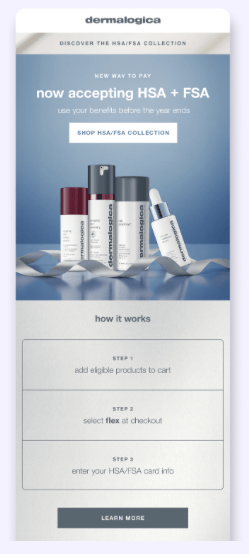
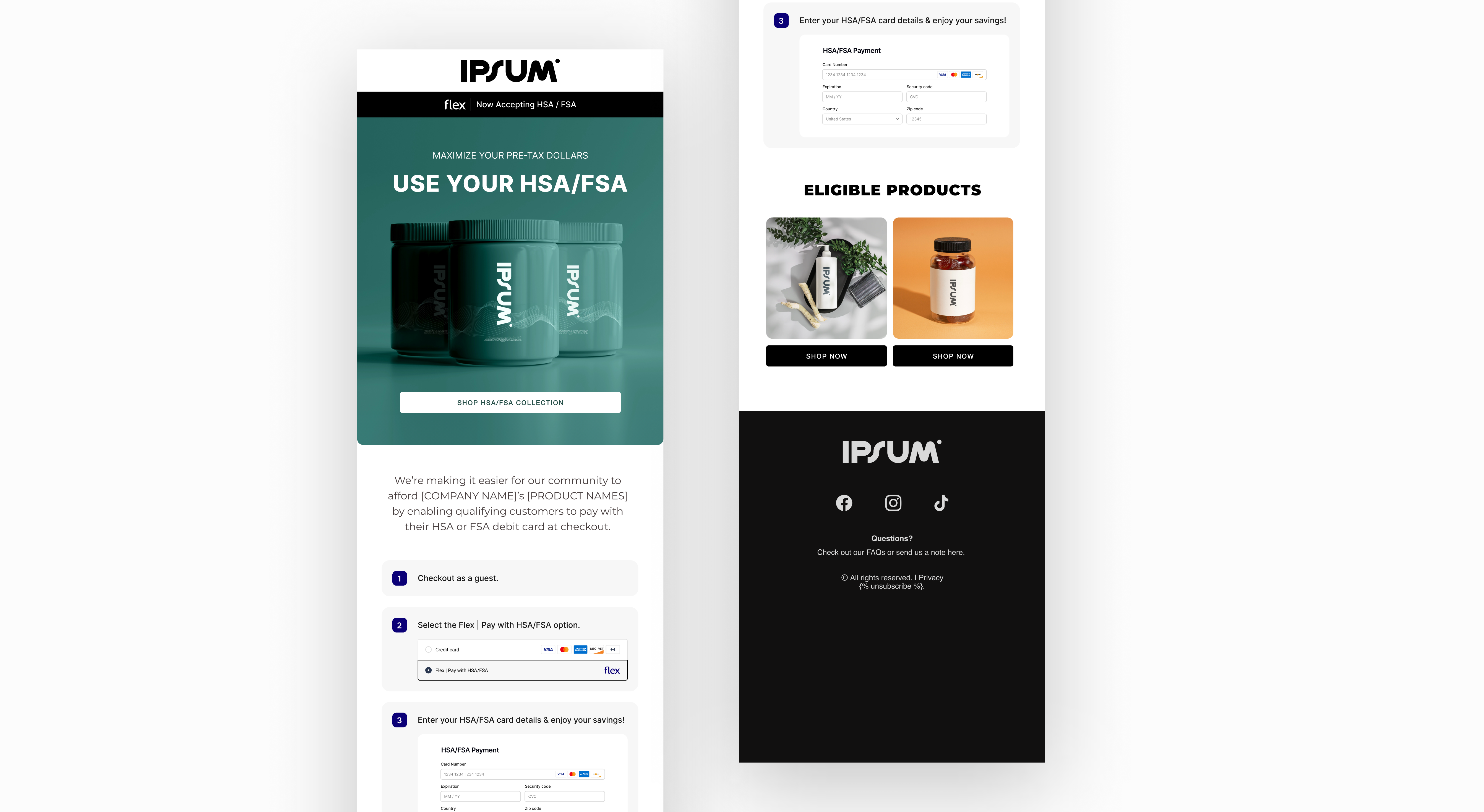
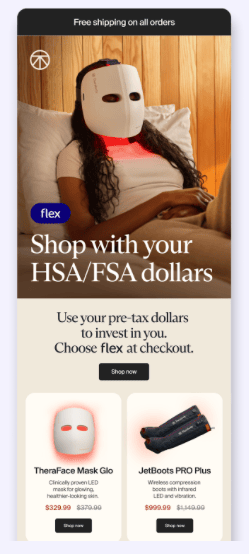
Use this if your products are directly HSA/FSA eligible — no consultation required.
```
Subject: You can now pay with your HSA/FSA at [COMPANY NAME]
Headline: You Can Now Use Your HSA/FSA
Body:
We've partnered with Flex to make it easier to shop [PRODUCT NAME]
using your HSA or FSA card — no additional paperwork required.
That means you can use pre-tax dollars on qualifying purchases —
potentially saving up to 30–40% depending on your tax rate.
How it works:
1. Add eligible items to your cart
2. Choose Flex | Pay with HSA/FSA at checkout
3. Enter your HSA or FSA card to complete your purchase
[Insert image of checkout page]
CTA: Shop Now →
```
Use this if your products require a Letter of Medical Necessity (e.g., wellness or personal care items). Customers complete a brief telehealth consult through Flex.
```
Subject: Use your HSA/FSA at [COMPANY NAME] — if you qualify
Headline: Your HSA/FSA Dollars Go Further Here
Body:
We've partnered with Flex to enable eligible customers to purchase
[PRODUCT NAME] using their HSA or FSA card.
How it works:
1. Add qualifying items to your cart
2. Choose Flex | Pay with HSA/FSA at checkout
3. Complete a brief telehealth consult to confirm eligibility
4. Enter your HSA/FSA card (or another method) and submit for reimbursement
5. Receive your Letter of Medical Necessity and itemized receipt by email
[Insert image of checkout page]
CTA: Learn More →
```
***
## 2. Evergreen & Lifecycle Email
**When to use:** After launch, Flex messaging should live inside your existing flows — not as standalone sends. A callout block or a single sentence is enough.
### Where to add it
* Welcome and onboarding emails
* Product spotlight and new arrival announcements
* Sale and bundle promotions
* Post-purchase and replenishment flows
### Copy blocks
Add either of these into any email where the product is eligible:
```
Option A:
HSA/FSA eligible — Use your pre-tax dollars and save up to 30–40%
on qualifying purchases.
Option B:
Eligible for HSA/FSA — Pay with pre-tax funds at checkout.
```
***
## 3. Triggered Emails
Add Flex to flows you already have — don't build new ones. These are the highest-converting touchpoints because the customer is already engaged.
### Abandoned cart
```
Subject: Still thinking it over?
Body:
Don't forget — this item may be eligible for HSA/FSA payment.
Use pre-tax dollars at checkout and save up to 30–40%.
CTA: Complete your purchase →
```
### Post-purchase education
```
Subject: Did you know?
Body:
Many of our products are HSA/FSA eligible.
Look for the eligibility badge on product pages next time you shop.
CTA: See eligible products →
```
### Subscription reminder
```
Body:
Eligible subscriptions can also be paid with HSA/FSA funds.
Use your pre-tax dollars before they expire.
CTA: Manage your subscription →
```
***
## 4. SMS
Keep SMS short and lead with the benefit. One message, one action.
```
We now accept HSA/FSA payments with Flex. Use
pre-tax dollars on eligible products at checkout.
[link]
```
```
Save up to 30–40% using your pre-tax HSA/FSA
funds on qualifying purchases. [link]
```
```
This item may be HSA/FSA eligible. Shop now
and use your health funds at checkout. [link]
```
```
Still thinking it over? You can use HSA/FSA
funds on eligible products. [link]
```
***
## Best practices
* Send at least one standalone campaign to announce your launch with Flex
* Add Flex to your welcome, post-purchase, and abandoned cart flows — even a single line makes a difference
* Subject lines that name HSA/FSA directly outperform generic ones
* Link to your landing page or eligible product collection — not your homepage
* Use checkout screenshots or eligibility badges as visuals — they reduce friction and build trust