> ## Documentation Index
> Fetch the complete documentation index at: https://docs.withflex.com/llms.txt
> Use this file to discover all available pages before exploring further.
# Social & Influencers
> Templates and guidance for social media managers and creator partnerships. Use these to announce HSA/FSA acceptance, build an evergreen social presence, and brief creators effectively.
Duplicate and edit the Flex Social Templates Figma file [here](https://www.figma.com/design/w0auoEp8gixz919ehodjk4/Flex-Social-Media-Templates?node-id=0-1\&t=F8SOnm9xHaRsmUE5-1).
Organic social and creator content are your most cost-efficient channels — no ad budget required. They educate your existing audience, reinforce messaging across every other channel, and build credibility through real people showing Flex at checkout.
**When to post:** Start with a launch announcement, then keep Flex visible through evergreen posts, seasonal moments, and stories that show the checkout experience.
### Platform strategy
| Platform | Content Ideas | Format |
| --------- | --------------------------------------- | ------------------------------------ |
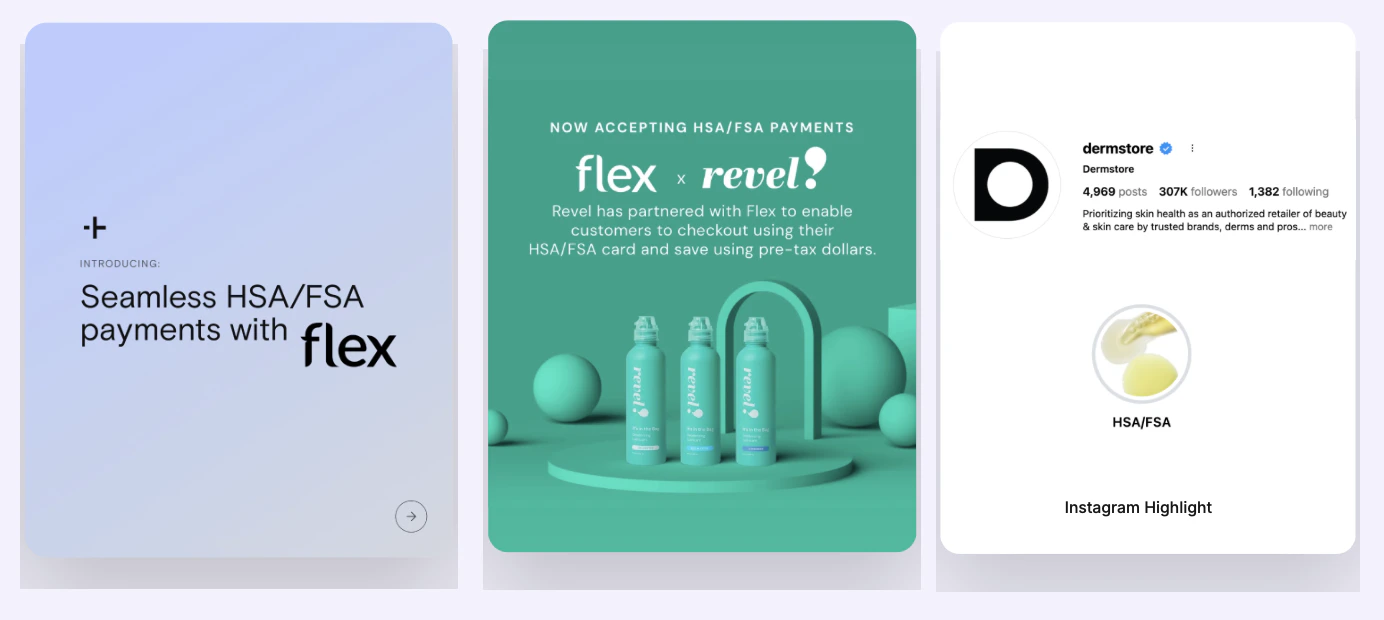
| Instagram | Announcement, education, checkout demos | Feed post, Stories, Reels, Highlight |
| TikTok | Checkout walkthroughs, savings tips | Short-form video |
| LinkedIn | Brand authority, B2B awareness | Company post, founder/CEO post |
| Twitter/X | Quick eligibility announcements | Short post with link |
Create a dedicated **HSA/FSA Highlight** on Instagram. It gives your customers a place to learn how to pay with Flex on their own time. Especially useful when messaging HSA/FSA in stories.
### Templates
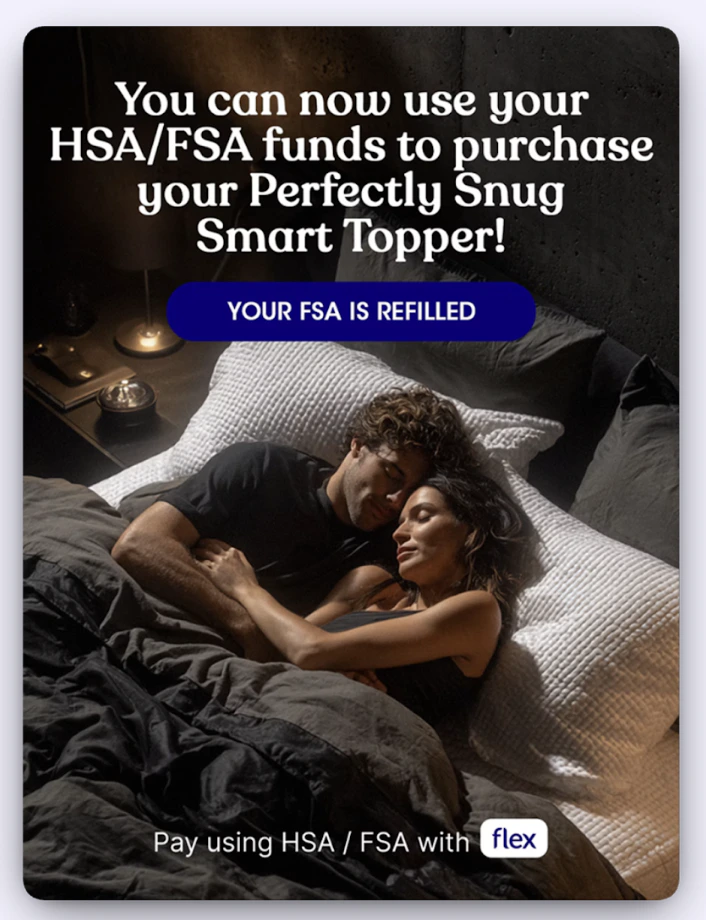
Use these if your products are directly HSA/FSA eligible — no consultation required.
**Instagram / TikTok caption**
```
Big news — you can now use your HSA/FSA funds to shop [BRAND NAME]. 🎉
That means eligible products can be purchased with pre-tax dollars,
potentially saving you up to 30–40% depending on your tax rate.
Here's how it works:
1. Add eligible items to your cart
2. Select Flex | Pay with HSA/FSA at checkout
3. Enter your HSA/FSA card — that's it
Shop the HSA/FSA eligible collection → [LINK]
#HSA #FSA #HealthSpending #Flex
```
**LinkedIn**
```
We're excited to announce that [COMPANY NAME] now accepts HSA and FSA payments
through our partnership with Flex.
Customers can now use pre-tax dollars to purchase eligible [PRODUCT CATEGORY] —
making it easier to invest in their health without extra out-of-pocket costs.
How it works:
1. Add eligible items to your cart
2. Choose Flex | Pay with HSA/FSA at checkout
3. Enter your HSA or FSA card to complete your purchase
Learn more → [LINK]
#HSA #FSA #HealthSpending #Flex
```
**Twitter/X**
```
You can now use your HSA/FSA at [COMPANY NAME]. 🙌
Use pre-tax dollars on eligible [PRODUCT] — and save up to 30–40%.
Just select Flex at checkout.
Shop now → [LINK] #HSA #FSA #Flex
```
Use these if your products require a Letter of Medical Necessity. Customers complete a brief telehealth consult through Flex.
**Instagram / TikTok caption**
```
Did you know your HSA/FSA funds might cover [PRODUCT NAME]?
Through our partnership with Flex, eligible customers can use pre-tax dollars
at checkout — after a quick telehealth consult to confirm eligibility.
Here's how:
1. Add items to your cart
2. Select Flex | Pay with HSA/FSA at checkout
3. Complete a brief eligibility consult
4. Get your Letter of Medical Necessity and receipt by email
Check your eligibility → [LINK]
#HSA #FSA #HealthSpending #Flex
```
**LinkedIn**
```
[COMPANY NAME] has partnered with Flex to give eligible customers a new way
to pay for [PRODUCT CATEGORY] using their HSA or FSA funds.
Customers who qualify can complete a simple telehealth consult at checkout
and receive a Letter of Medical Necessity — making reimbursement straightforward.
Learn more → [LINK]
#HSA #FSA #HealthSpending #Flex
```
**Twitter/X**
```
Your HSA/FSA might cover [PRODUCT]. ✅
Eligible customers can now use pre-tax dollars at [COMPANY NAME] via Flex —
with a quick consult at checkout.
See if you qualify → [LINK] #HSA #FSA #Flex
```
### Evergreen content ideas
Use these post angles on an ongoing basis — not just at launch:
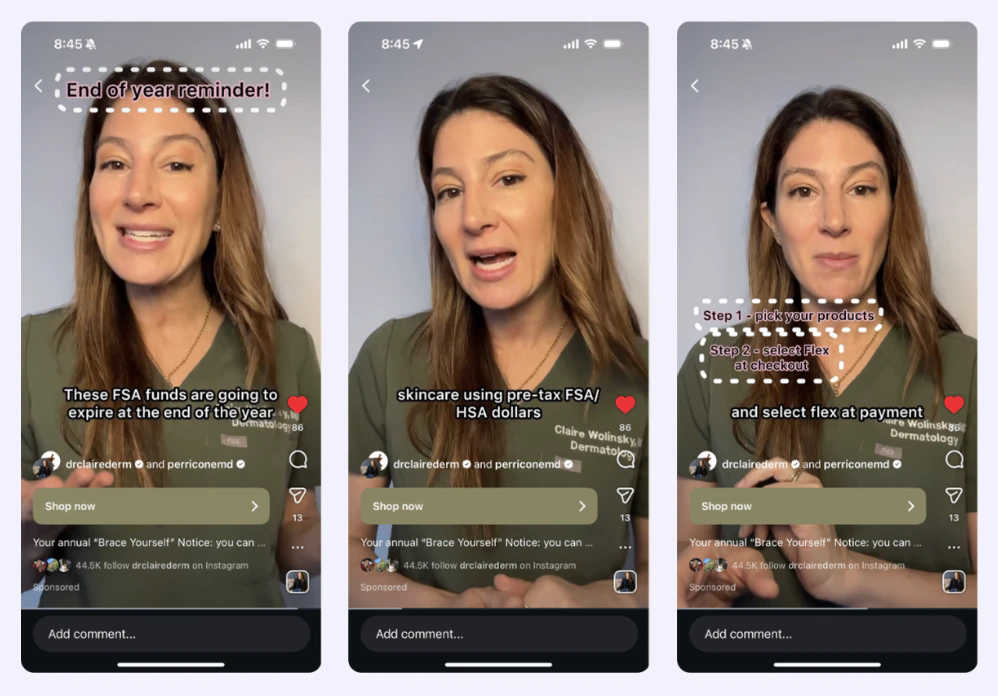
* **Year-end urgency:** Remind customers to use FSA funds before they expire (post in Nov–Dec)
* **Savings angle:** Highlight the 30–40% savings potential with a specific product example
* **How-it-works:** Short Reel or Story walking through the checkout experience step by step
* **Product spotlight:** Tag individual eligible products with an HSA/FSA badge or callout
* **FAQ:** Answer common questions ("Does this work with my HSA card?" "What counts as eligible?")
### Best practices
* Use on-screen text and captions to reinforce the benefit — don't rely on audio alone
* Stories and Reels outperform static posts for checkout demos; show the actual Flex screen
* Keep your Instagram Highlight updated — it's the first place new visitors will look
* Pair posts with a link to your HSA/FSA landing page or eligible product collection
***
## 2. Influencers & Creators
**When to activate:** After your launch announcement, creators help extend reach to new audiences and add social proof. Best deployed during high-intent moments: Open Enrollment, Q4 FSA spend-down, or alongside a product launch.
### What to focus on
Position Flex as a smart, modern way to invest in health — not a discount or workaround. The strongest creator content feels like a personal recommendation, not a brand announcement.
The most effective content:
* Shows the **checkout experience in real time** (screen recording or over-the-shoulder)
* Explains the **savings benefit** in personal terms ("I save X by using my FSA here")
* Highlights **ease** — selecting Flex takes seconds
* Ties to a **timely moment** (end of year, open enrollment, new year wellness goals)
### Creator brief: what to include
When briefing a creator, give them these building blocks and let them use their own voice:
```
Key message:
[BRAND NAME] now accepts HSA/FSA payments through Flex.
That means you can use pre-tax health dollars on [PRODUCT] —
and potentially save 30–40% depending on your tax bracket.
How to show it:
- Walk through adding the product to cart
- Select Flex | Pay with HSA/FSA at checkout
- Show how simple the payment step is
Talking points:
- "I use my HSA/FSA dollars here because it's already money I've set aside"
- "Pre-tax means you're saving before taxes come out — it adds up"
- "Flex makes it simple — you just choose it at checkout"
Hashtags: #HSA #FSA #HealthSpending #Flex
```
### What to avoid
Do not brief creators to make specific medical claims or guarantee eligibility for all customers. Keep messaging focused on the payment method, not health outcomes.
* ❌ "This product will treat or cure \[condition]"
* ❌ Claiming all customers qualify without noting eligibility requirements
* ❌ Overstating the savings amount as a guarantee
* ✅ "This may be eligible for HSA/FSA" or "eligible customers can use pre-tax funds"
* ✅ Showing the checkout flow rather than making verbal claims about eligibility
### Best formats
| Format | Why it works |
| ----------------------------------- | ---------------------------------------------------------------------- |
| TikTok / Reels walkthrough | Shows the checkout experience — removes friction for curious customers |
| Stories with link sticker | Low-effort, high-click — drives directly to eligible collection |
| End-of-year "use your FSA" reminder | High urgency, high relevance — strong Q4 play |
| Wellness routine integration | Natural fit for products already positioned as self-care |