> ## Documentation Index
> Fetch the complete documentation index at: https://docs.withflex.com/llms.txt
> Use this file to discover all available pages before exploring further.
# Reimbursement Page
> Learn how to create a dedicated reimbursement page to help customers get reimbursed for eligible purchases with their HSA/FSA funds.
Create a dedicated reimbursement page to educate customers, drive traffic, and help customers get reimbursed with their HSA/FSA funds. With clear messaging and branded assets, your reimbursement page can explain the consultation and reimbursement process, reduce support questions, and highlight eligible products.
## Why use a Flex reimbursement page?
A Flex-branded reimbursement page helps customers understand how to get reimbursed with their HSA/FSA funds, which improves conversion and reduces friction. Merchants who include a reimbursement page often see stronger engagement and fewer questions about eligibility and how reimbursement works.
[Download assets](https://drive.google.com/uc?export=download\&id=1jJY78iAuODUmchw5sgT7PkniQ8-Xnxbd) to help build your reimbursement page.
### Why it matters
**Increase awareness**\
Educate customers about eligibility and how HSA/FSA reimbursement works.
**Boost search engine optimization and organic traffic**\
Target HSA/FSA keywords and highlight eligible products in one centralized place.
**Reduce support inquiries**\
Help customers self-serve with frequently asked questions (FAQs) and clear, step-by-step guidance.
**Give customers a place to start**\
Provide one branded destination where customers can begin the telehealth consultation and get their Letter of Medical Necessity (LMN).
**Drive conversions and savings**\
Show customers they can save an average of 30%\* with pre-tax HSA/FSA dollars, moving them from learning to buying.
## Reimbursement page template
Customize your reimbursement page for your brand. Reimbursement applies to dual-purpose products, where eligibility depends on the customer completing a consultation and qualifying for an LMN.
For products that are always eligible under the Inventory Information Approval System (IIAS), customers don't need a consultation. They can submit their purchase receipt directly to their HSA/FSA administrator for reimbursement.
**Template:**
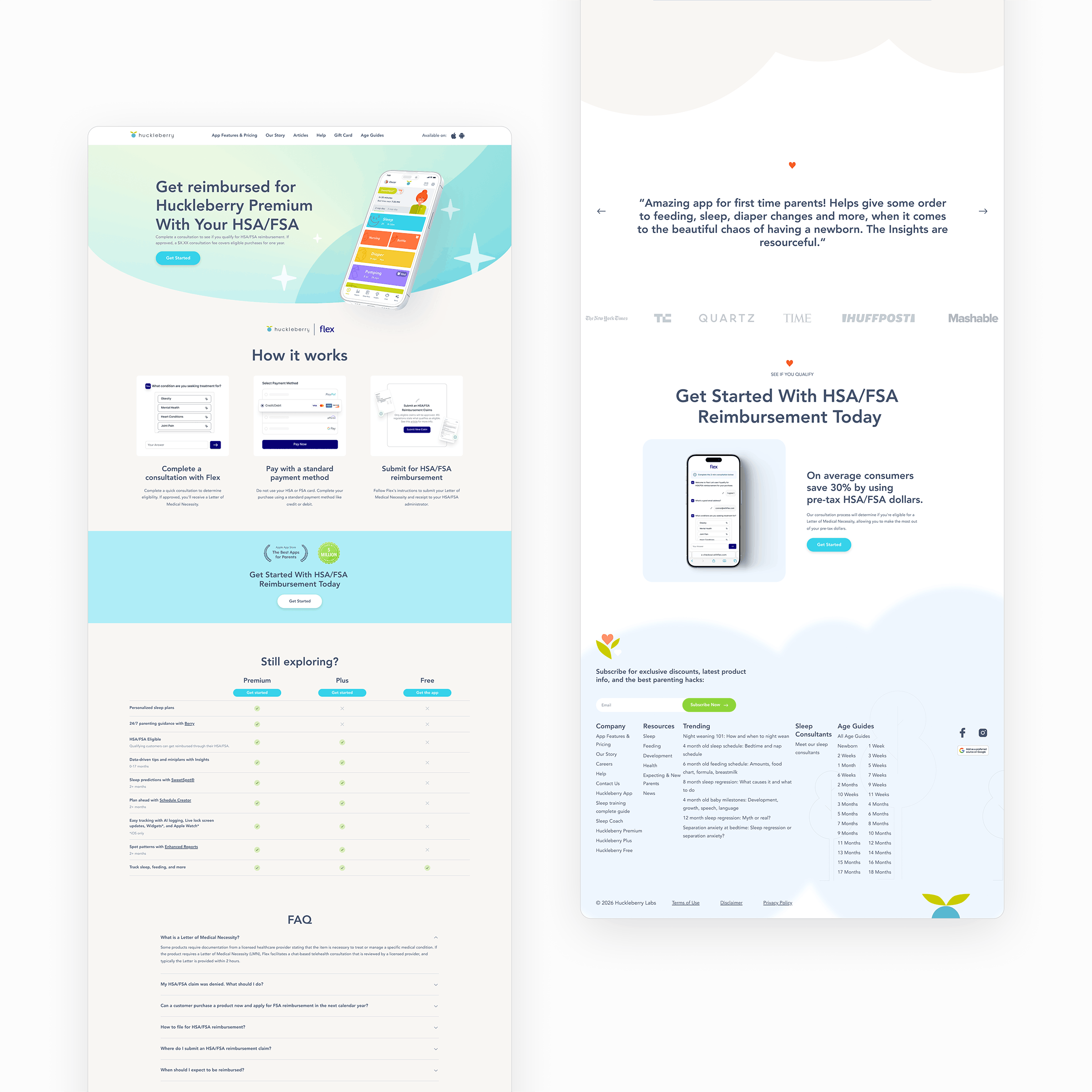
> \[COMPANY LOGO] x \[FLEX LOGO]
>
> Get reimbursed for \[Partner] with your HSA/FSA
>
> Complete a consultation to see if you qualify for HSA/FSA reimbursement. If you qualify, a \$X.XX consultation fee covers eligible purchases for one year.
>
> \[CTA] GET STARTED
>
> \[Section Header] How it works
>
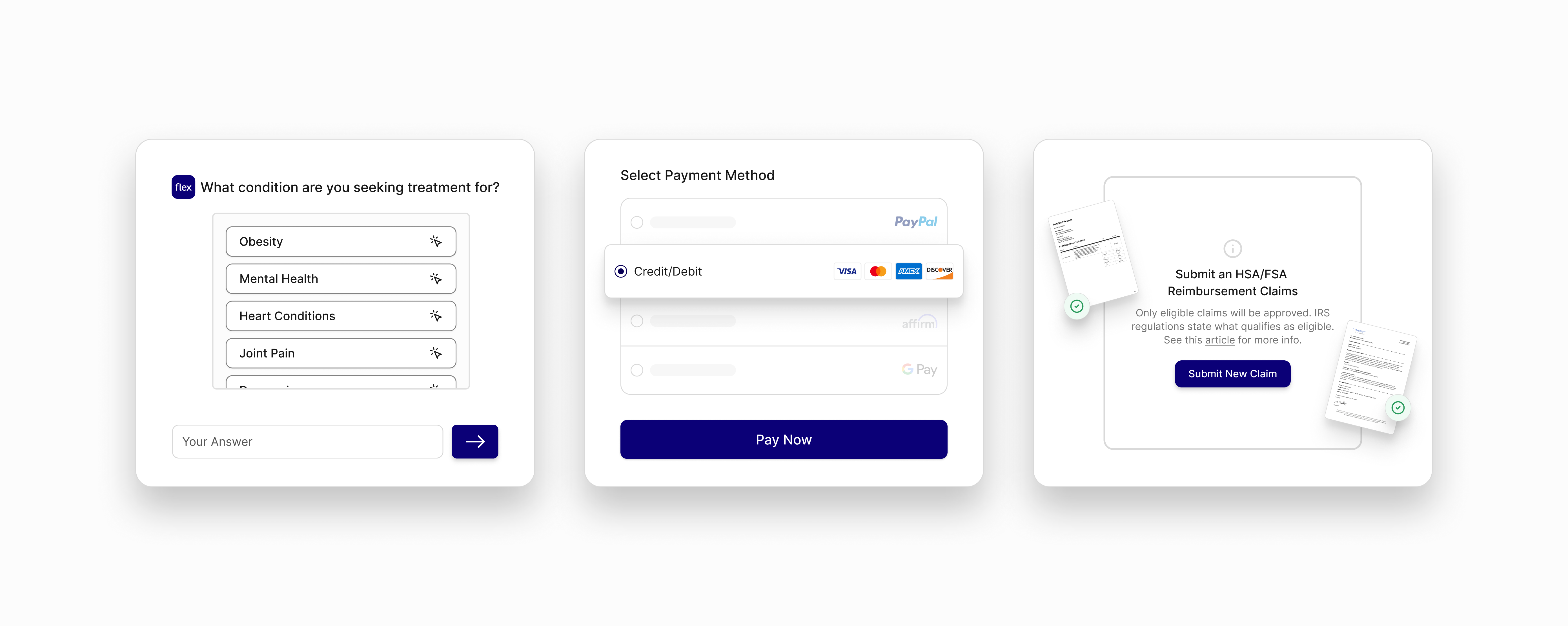
> **Complete a consultation**\
> Complete a consultation to determine eligibility. If you qualify, you'll receive an LMN.
>
> **Pay with a standard payment method**\
> Don't use your HSA/FSA card. Complete your purchase using a standard payment method like credit or debit.
>
> **Submit for HSA/FSA reimbursement**\
> Follow Flex's instructions to submit your LMN and receipt to your HSA/FSA administrator.
>
> \[Insert images of the reimbursement steps]
>
> \[Section Header] Get started with HSA/FSA reimbursement today
>
> On average, customers save 30%\* by using pre-tax HSA/FSA dollars. Our consultation process will determine if you're eligible for an LMN, allowing you to make the most out of your pre-tax dollars.
>
> \[CTA] GET STARTED
>
> \[Section Header] Customer FAQs
>
> \[Add FAQs here]
>
> Eligibility depends on your circumstances and your plan. See [withflex.com/legal/disclosures](https://www.withflex.com/legal/disclosures).
Customers must complete the consultation the same day as their purchase. Only same-day or future purchases are eligible for reimbursement. The LMN is valid for one year on future expenses.
## Best practices
Don't modify or misrepresent Flex's branding, such as by altering logos, colors, or messaging.
* Link your reimbursement page from modals, badges, banners, and emails.
* Highlight your Flex partnership with the Flex logo and brand elements.
* Clearly show the three steps: complete a consultation, pay with a standard card, and submit for reimbursement.
* Remind customers to complete the consultation before purchasing, and to pay with a standard card (not their HSA/FSA card) at checkout.
* Add a "Get Started" or "See If You Qualify" call to action that links to your Flex consultation link.
* Include customer FAQs to reduce confusion and support inquiries.
## Examples
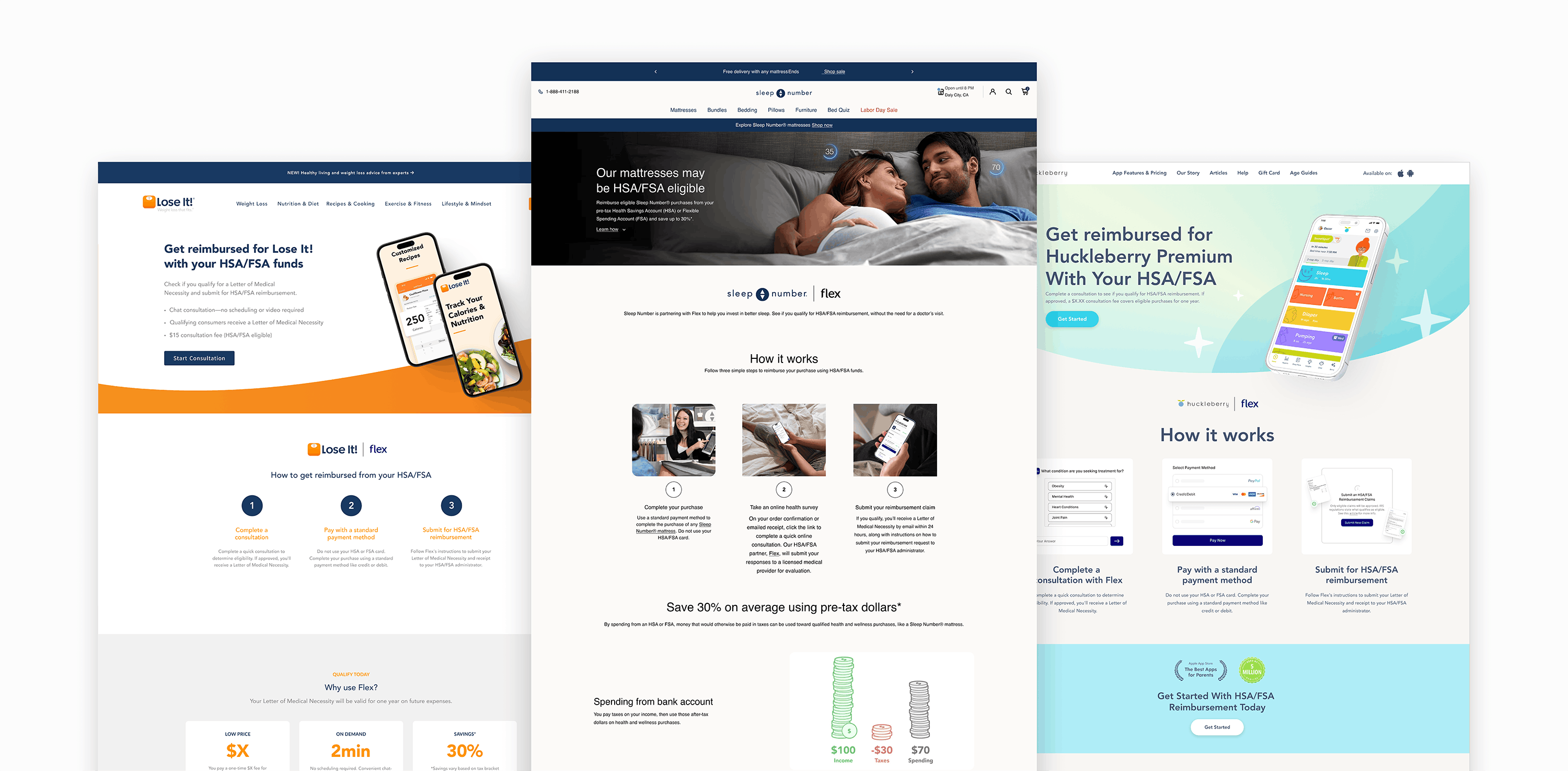
Here's a great reimbursement page example to reference.
{[
{ category: 'Sleep', links: [{ label: 'Sleep Number', url: 'https://www.sleepnumber.com/pages/hsa-fsa-eligibility' }] },
].map((row, i, arr) => (
))}